ChatGPT is more than just a conversational AI. It’s a practical assistant that can speed up many everyday tasks—provided you use it with a clear objective and the right context.
In this guide, you’ll learn where ChatGPT delivers real value, where it requires careful review and when it can actually slow you down instead of saving time.
Writing, brainstorming, summarising information, organising ideas and creating first drafts.
Legal, financial and medical topics, recent events, confidential data and production-ready code.
Provide clear context, define a specific goal and always apply human judgement before using the final output.
ChatGPT Is Not a Magic Tool
Artificial intelligence has become part of the daily workflow for many professionals. Among today’s AI tools, ChatGPT is widely used for writing, organising ideas, analysing information, programming and automating repetitive tasks.
However, it is not the answer to every problem. In some situations it can save hours of work. In others, it may generate extra revisions and ultimately slow you down instead of making you more productive.
The real question is not whether you should use ChatGPT, but when it genuinely adds value—and when it requires additional care.
What Is ChatGPT?
ChatGPT is an AI assistant capable of understanding natural language and generating answers, written content, ideas, summaries and even code examples.
In practice, it works best as a collaborative partner. It helps you get started faster, organise your thinking and create an initial draft. It does not replace professional expertise, human judgement or final review.
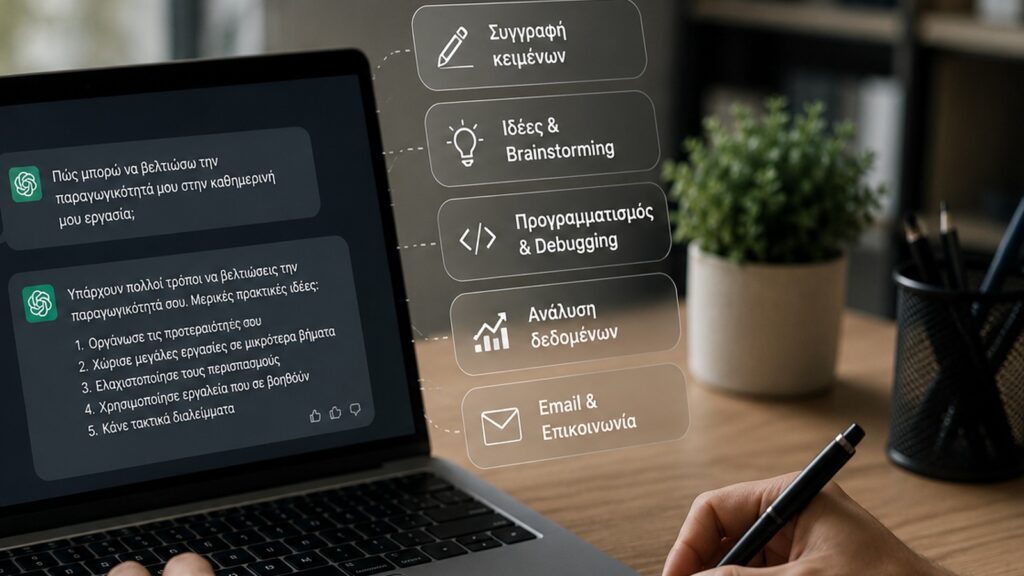
How Can It Help with Writing?
Writing is one of ChatGPT’s strongest use cases. It can quickly generate first drafts for emails, blog posts, product descriptions, FAQs, presentations and user guides.
That does not mean the result is ready to publish. Most outputs still require editing, fact-checking and adjustments to match your company’s tone of voice.
Its biggest advantage is helping you overcome the blank page. Instead of starting from scratch, you begin with a solid draft that you can refine and improve.
Brainstorming and Organising Ideas
Whenever you need fresh ideas, different perspectives or a structured starting point, ChatGPT can become an extremely valuable brainstorming partner.
It can suggest article topics, marketing campaigns, presentation structures, product or service names and alternative ways to approach a problem.
Not every suggestion will be the right one. Sometimes, however, a single average idea is enough to inspire a much better one.

Programming Assistance
For developers, ChatGPT can explain code, identify potential issues, generate examples and assist with HTML, CSS, JavaScript, PHP and SQL.
It is particularly useful when you need to understand unfamiliar code quickly or explore different implementation approaches.
That said, AI-generated code should always be tested. ChatGPT may provide sound logic while producing incorrect syntax or solutions that are not suitable for your specific environment.
Summarising and Analysing Information
One of ChatGPT’s most practical capabilities is summarising lengthy content. It can help you quickly identify the key points of an article, document or technical specification.
It can also organise complex information into structured lists, simplify difficult concepts and transform long documents into clear, easy-to-read summaries.
This becomes especially valuable in everyday work, where professionals often deal with large volumes of information and limited time.
Where Should You Be Careful?
ChatGPT is not infallible. It can produce answers that sound convincing while still containing inaccuracies or missing important details.
Extra caution is required when dealing with legal advice, taxation, medical information, financial decisions, regulatory requirements or recent events.
In these situations, treat AI-generated responses as a starting point for research—not as the final answer.
When Can It Slow You Down?
ChatGPT can become time-consuming when your instructions are vague. Generic prompts usually produce generic answers.
It can also reduce productivity if you constantly change direction, repeatedly try to fix a poor prompt with minor tweaks or copy the output without reviewing it carefully.
If a task is simple and you already know exactly how to complete it, doing it yourself may actually be faster.
How to Write Better Prompts
The quality of the response largely depends on the quality of your prompt.
For better results, clearly explain your objective, provide enough context, describe your target audience and mention any important requirements or constraints.
Instead of asking “Write me an email,” explain who the recipient is, what you want to achieve, what tone you prefer and anything the response should avoid.
Five Common Mistakes
The first mistake is expecting a finished result without any editing. The second is providing too little information. The third is failing to verify the accuracy of the response.
Another common mistake is using the same prompt for every task or sharing sensitive information without understanding the privacy policies of the AI service you are using.
Frequently Asked Questions
Can ChatGPT replace an employee? No. It can automate certain tasks and improve productivity, but human judgement, experience and decision-making remain essential.
Is it safe to upload company documents? It depends on your organisation’s policies and the account settings you are using. Confidential information should never be shared without a clear data governance policy.
Can I use ChatGPT every day? Yes. It is an excellent tool for writing, organising information, brainstorming ideas, programming and analysing data—as long as the final output is reviewed by a human.
Conclusion
ChatGPT does not replace professional experience, expertise or human judgement. What it can do is become an extremely valuable assistant in your everyday work.
Its greatest strength lies in helping you work faster, organise information more effectively and create solid first drafts. The better you understand both its capabilities and its limitations, the more value it can bring to your daily workflow.