Blog

  • nCycle: a radical rethink of the electric bike

    nCycle: a radical rethink of the electric bike

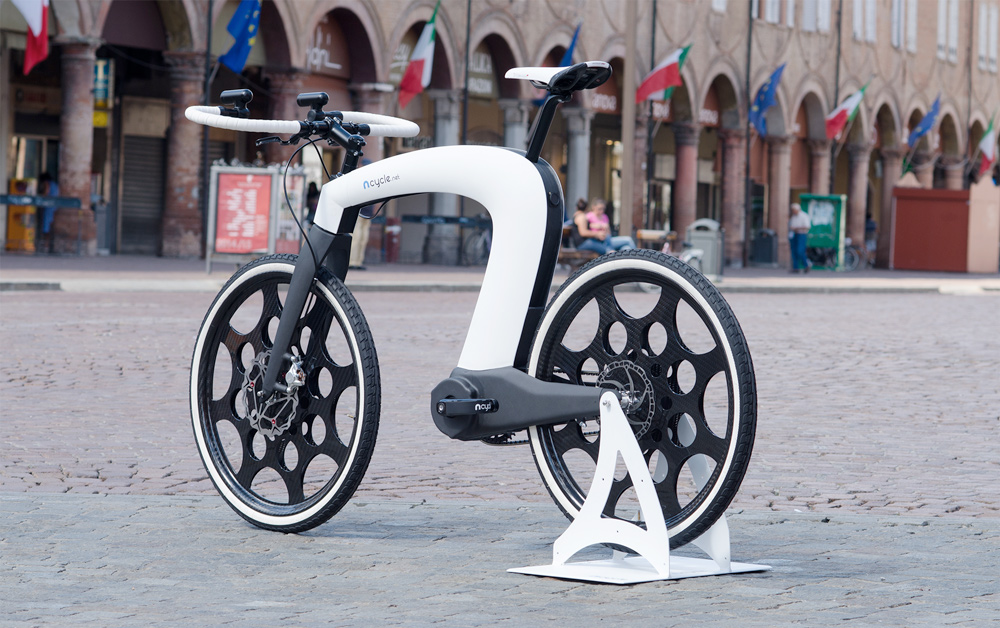
    nCycle electric bike concept with integrated storage and components

    nCycle at a glance

    nCycle is an all-in-one electric bicycle concept that packs storage compartments, an integrated locking system, built-in speakers, headlights, a display and a complete electric drive mechanism — all on two wheels. The project, created by designers Hussain Almossawi and Marin Myftiu, aims to push both aesthetics and technology beyond what you usually expect from a city bike.

    Key features

    What makes nCycle stand out at first sight:

    • Multiple storage spaces incorporated into the frame
    • Integrated locking mechanism for security
    • On-board audio with built-in speakers
    • Front lighting and a display for rider information
    • A complete electric drive system built into the bike

    Design that challenges expectations

    Instead of refining the familiar city-bike silhouette, nCycle takes a different approach. Its bold styling and the integration of components usually added as aftermarket accessories signal a deliberate move toward a cohesive, design-led product. The result is a machine that reads as a piece of industrial design as much as it does a vehicle for urban mobility.

    Technology packed into the frame

    nCycle is more than an electric motor on a bicycle chassis. The concept integrates a range of functional elements — locking, storage, lighting, audio and rider display — into the structure itself. This kind of integration simplifies the user experience and can improve aesthetics, because accessories are not just attached, they’re built in.

    The makers: Hussain Almossawi and Marin Myftiu

    The project credits designers Hussain Almossawi and Marin Myftiu. Their work on nCycle reflects a focus on combining high-level design thinking with engineering to reimagine how an everyday product can look and feel.

    Why this matters

    Concepts like nCycle are useful even if they never reach mass production. They demonstrate possibilities: how urban mobility can be more integrated, secure and pleasurable. For designers and manufacturers, such concepts probe customer expectations and suggest new directions for product development in the e-mobility space.

    Where to find more

    For more details on the project, see the creators’ page:ncycle.net.

    Bottom line

    nCycle isn’t just an electric motor on two wheels. It’s a design experiment that pulls multiple functions into a single, distinctive package. Whether it becomes a mainstream product or remains a concept, it pushes ideas about how an electric bike can be integrated, secure and stylish.
  • When Memories Become Art: Brandon Allen’s Joystick Portraits

    When Memories Become Art: Brandon Allen’s Joystick Portraits

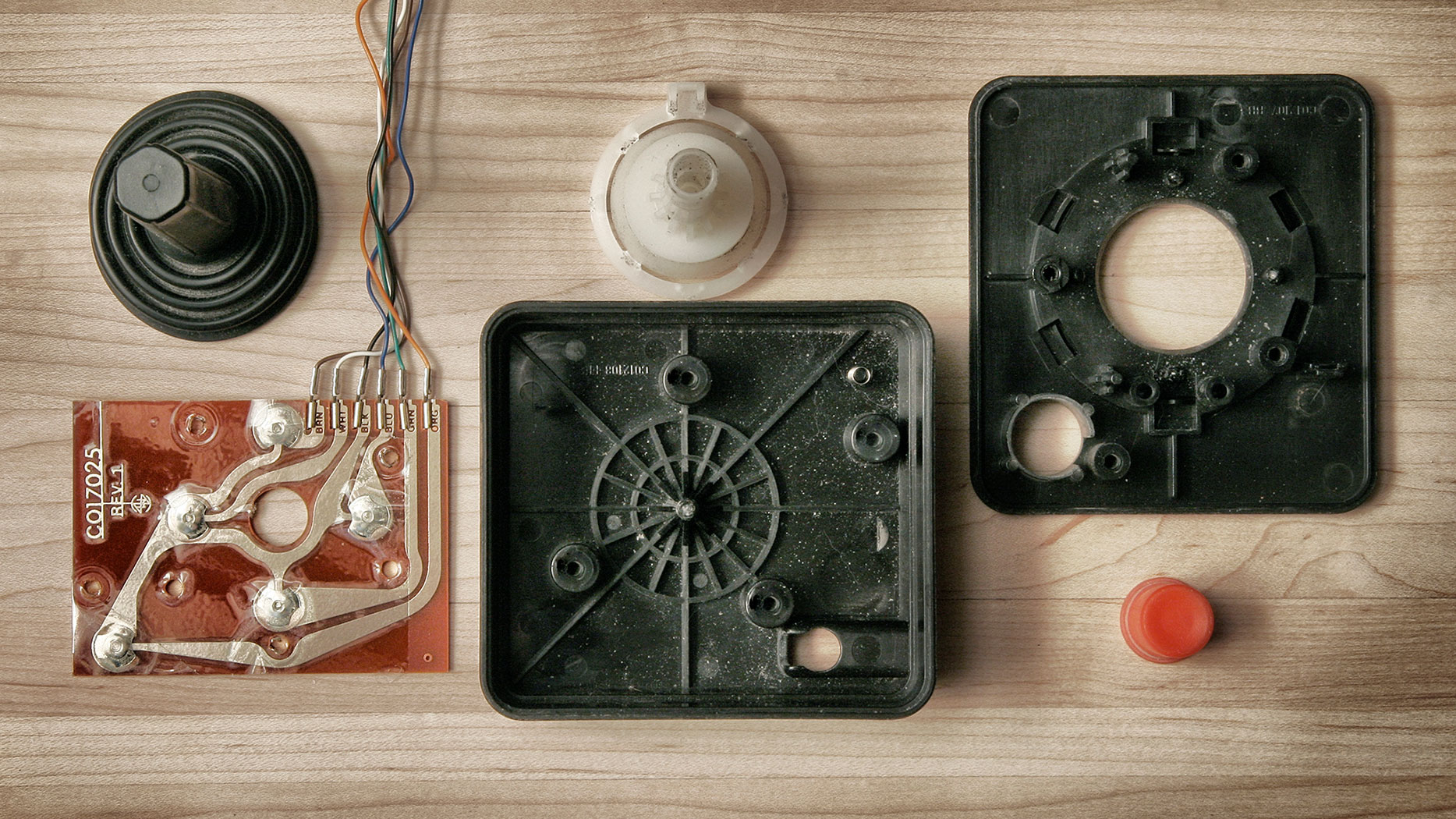
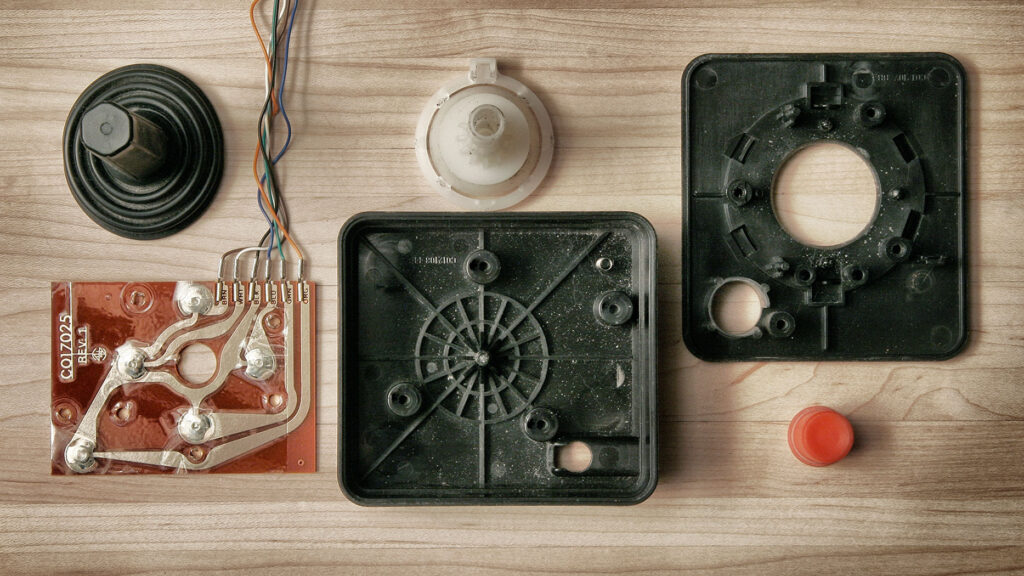
    Photographic portrait of a worn video game joystick showing signs of heavy use

    Turning worn controllers into a photo project

    Canadian photographer Brandon Allen surprised viewers with a simple, evocative idea: he gathered the joystick controllers he had at home that were no longer in use or had been damaged by heavy play, and photographed them as a cohesive collection. The result is a series of striking images that let the physical marks of use — scuffs, missing buttons, frayed cords — tell stories about hours spent playing and the sentimental value of objects.

    See the work

    Explore the series on the artist’s site: ballenphotography.com

    Why this idea resonates

    • Nostalgia made visible: The photos foreground wear and damage as evidence of memory, not just decay.
    • Simplicity and focus: By isolating joysticks as subjects, the images invite close attention to texture and form.
    • Personal archive as art: Using objects from his own home gives the series an intimate, autobiographical layer.

    What to look for in the photos

    • Signs of heavy use: rubbed plastics, shiny spots, and worn labels.
    • Small failures that tell a story: missing pieces, taped repairs, bent sticks.
    • Composition choices: lighting and background that elevate ordinary objects to portrait subjects.

    More than a photo series

    At first glance these images are about gaming hardware; look closer and they’re about habit, attachment and the quieter side of how objects accumulate meaning. Projects like this remind us that everyday items — even broken ones — can carry a narrative about time, play and identity.

    Where it fits culturally

    Work that reimagines consumer objects often taps into broader cultural interests: retro aesthetics, the celebration of analog experiences, and conversations about consumption and repair. Brandon Allen’s joystick portraits sit comfortably in that space, offering both visual appeal and a relatable emotional chord for anyone who keeps things because of what they remember.

    Conclusion

    Brandon Allen’s collection is a simple but effective example of how a modest idea — photographing old, damaged joysticks from home — can produce images that feel both personal and universal. The photos encourage us to look at worn objects differently: as carriers of memory and as subjects worthy of artistic attention.

  • Why Pawel Kuczynski’s Facebook Sketches Stop You and Make You Think

    Why Pawel Kuczynski’s Facebook Sketches Stop You and Make You Think

    Introduction

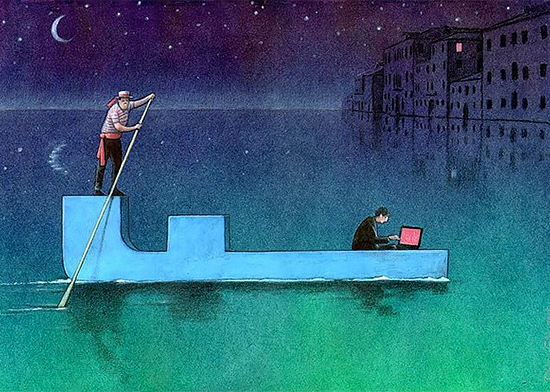
    Pawel Kuczynski is a Polish, award‑winning illustrator whose bold, satirical drawings have earned a large international following. His recent series of sketches shared on Facebook continues that tradition: short, often stark images that distill complex social, political and economic issues into single frames. The result is work that’s easy to share and hard to forget.

    See more of his work

    To explore Kuczynski’s portfolio and recent projects, visit his official website: www.pawelkuczynski.com.

    What makes these sketches so effective?

    • Simplicity with a bite: Kuczynski pares scenes down to essentials, then twists a detail to expose irony or hypocrisy.
    • Visual metaphors: Objects and figures become symbols—easy to read, but open to interpretation.
    • Universal themes: Rather than local references, many sketches address broad topics—consumerism, power, media—that travel across cultures.
    • Shareability: Short, high‑contrast images perform well on platforms like Facebook, helping ideas spread quickly without losing impact.

    Why his work still matters in 2026

    Illustration and satire have always been tools to question accepted narratives. In an era of rapid information flow and short attention spans, concise visual commentary can:

    • Cut through noise and prompt reflection in seconds.
    • Encourage conversation across demographics that might not read long essays.
    • Act as cultural time capsules—capturing public moods and tensions in memorable frames.

    How to read and share satirical art responsibly

    • Look for context: A sketch may comment on a system or behavior rather than a single person; read captions or artist notes when available.
    • Avoid snap judgments: Satire uses exaggeration; think about the underlying point before reacting.
    • Credit the artist: When you share, include the artist’s name and link to their site or profile so viewers can explore more.
    • Use it to open dialogue: If a piece provokes you, ask why and invite others to discuss rather than escalate conflict.

    For creatives and communicators

    Kuczynski’s approach offers useful lessons for anyone building a visual presence online:

    • Be concise: A single strong idea often beats complexity on social platforms.
    • Use metaphor: Visual shorthand can communicate layered meanings without long explanations.
    • Respect your audience: Provocation works best when it aims to illuminate rather than simply shock.

    Conclusion

    Pawel Kuczynski’s Facebook sketches are reminders of what illustration can do: compressing social critique into images that are immediate, shareable and thought‑provoking. Whether you follow his work for inspiration or for reflection, his art is a prompt to pause and consider the world behind our headlines.

  • Web Market Experts: an online directory of service partners

    Web Market Experts: an online directory of service partners

    Introduction

    Web Market Experts is an online directory that collects service and product providers and organises them into categories. At its simplest, it acts as a curated list where each partner is placed in the category that best reflects what they sell or the services they deliver.

    Quick takeaway

    An organised directory helps customers find suitable vendors faster and gives listed partners a clearer way to reach relevant audiences. Treat it as a discovery tool—not a substitute for your research.

    What the directory does

    At its core, the directory groups collaborators by category so visitors can scan providers by the service or product they need. This structure reduces friction for anyone looking to compare options within a focused area—whether they need a developer, a hosting provider, a branding studio or another specialised service.

    Who benefits from a directory like this?

    For customers and decision-makers

    • Easier discovery of relevant vendors grouped by service or product type.
    • Faster shortlisting because similar providers appear together, which simplifies initial comparisons.
    • A single place to begin research when planning projects, hiring freelancers, or sourcing agencies.

    For partners and listed businesses

    • Visibility to visitors already searching within a specific category—helpful for niche providers.
    • An additional channel to reach potential customers beyond your own website or marketing.
    • A clear way to position services by category, which can attract more aligned enquiries.

    How to make the most of a partner directory

    If you’re using the directory to find a provider

    • Start with the category that best matches your need, then compare at least two or three providers before deciding.
    • Look for evidence of experience: portfolios, case studies, or references mentioned on the provider’s own site.
    • Use the directory as a discovery step—follow up by checking reviews, asking for quotes, and requesting timelines.

    If you want to be listed as a partner

    • Make your category choice clear so potential customers find you where they expect.
    • Keep your public profile or website up to date with service descriptions and examples of work.
    • Present concise contact information and gatekeepers for faster leads: a clear email or contact form reduces friction.

    Practical tips when comparing partners

    • Match expertise to your scope: a provider that shines in one niche may not be the best fit for broader needs.
    • Ask specific questions about timelines, deliverables and post-project support.
    • Consider long-term factors such as ongoing maintenance, upgrades, or additional services you may need later.

    Conclusion

    Directories that organise partners by service or product are useful discovery tools for both buyers and sellers. They shorten the initial search, expose providers to targeted audiences, and help buyers build a short list quickly. Use the directory as a starting point: verify credentials, compare offers, and choose the partner that best matches your objectives and budget.

  • The Easy Experience Doesn’t Stop at Registration

    The Easy Experience Doesn’t Stop at Registration

    Introduction

    Buying a domain is exciting, but a working, trustworthy online presence is built from a series of small, thoughtful steps that follow registration. Whether you’ve just secured a name or are reviewing accounts you already own, this guide walks through the practical actions that turn a domain into a live, manageable website and a reliable business asset.

    Quick note

    If you’ve just registered a domain:

    • Start by checking DNS and nameservers.
    • Decide where your site will be hosted and if you need email for the business.
    • Use your control panel to centralise management (domains, hosting, billing).

    What comes after domain registration

    Registration secures your name, but most tasks that make a website visible and secure happen afterwards. Here are the essential steps, in practical order.

    1. Configure DNS and nameservers

    DNS (Domain Name System) tells the internet where your site and services live. Pointing nameservers to your hosting provider or updating A, CNAME and MX records is the first technical step to make a website and email work. If you’re unsure, most control panels include guided DNS editors or support documentation.

    2. Choose and connect hosting resources

    Your hosting plan determines performance, storage, and how many visitors your site can handle. Choose resources that match your site’s needs (static pages, CMS like WordPress, or an online store) and connect the domain to that hosting account following provider instructions.

    3. Set up business email

    Professional email (name@yourdomain) helps credibility. Configure MX records and follow best practices for IMAP/SMTP configuration. Add authentication records such as SPF, DKIM and DMARC to improve deliverability and reduce the risk of messages landing in spam.

    4. Secure your site

    Use an SSL certificate to enable HTTPS; many providers offer easy installation. Consider additional security measures like regular backups, two-factor authentication for accounts, and a web application firewall for sites that use CMS platforms.

    5. Plan renewals and transfers

    Keep track of renewal dates to avoid losing your domain. If you plan to move a domain to another registrar, familiarise yourself with the transfer process and required authorization codes well before expiry to prevent service interruption.

    Useful checks and optimisations

    • WHOIS and privacy: Verify contact details and enable privacy options if you want to keep registrant information private.
    • Domain forwarding: Use forwarding if you have multiple domains that should point to the same site or landing page.
    • Backups: Implement automatic website backups and test restores periodically.
    • Performance: Use caching, a CDN and right-sized hosting resources to keep pages fast for visitors.
    • SEO basics: Submit a sitemap, use descriptive titles and meta descriptions, and ensure pages are indexable.

    Managing everything in one place

    Centralised management makes life easier: consolidate domain renewal, DNS, hosting resources and billing in a single control panel when possible. That reduces administrative overhead and lowers the chance of missing important notices about renewals or security updates.

    When to ask for help

    Reach out to support if you encounter DNS propagation issues, email delivery problems, or need help connecting hosting and SSL. Good support can walk you through technical steps, or perform them on your behalf when you provide the necessary access and authorisations.

    Conclusion

    Owning a domain is the beginning of a continuous process. From DNS and hosting to email and renewals, each step improves reliability, visibility and trust. By following these practical actions and centralising management, you turn a name on the internet into a resilient and effective digital presence.

  • Knobs, Buttons & Potentiometers: Tuning Your VPS Like an Instrument

    Knobs, Buttons & Potentiometers: Tuning Your VPS Like an Instrument

    VPS control panel metaphor - knobs and buttons

    Introduction

    Knobs, buttons and potentiometers are physical controls used to shape sound and behavior on an instrument or a piece of hardware. The same idea applies to a Virtual Private Server (VPS): the choices you make about CPU, memory, storage and control interfaces are the knobs that determine how your service performs. This article translates that metaphor into practical advice for tuning a VPS to your website, app or business workload.

    Quick pointer

    If you want to experiment with a VPS and try tuning resources yourself, you can build one quickly here: http://easy.gr/el/hosting/vps

    Why the "knobs and buttons" metaphor works for VPS

    Unlike shared hosting, a VPS gives you dedicated slices of resources. That means you can change configuration parameters and see predictable effects—like turning a knob. Examples include:

    • CPU allocation: more cores or higher clock availability often reduce processing bottlenecks.
    • RAM: increasing memory helps with caching and handling concurrent connections.
    • Storage type and I/O: SSD vs. HDD and IOPS limits affect load times and database performance.
    • Network bandwidth and limits: affect responsiveness for geographically dispersed users and high-traffic pages.

    Which "knobs" should you prioritize?

    Not every site needs every resource turned up to maximum. Prioritize based on the type of workload:

    Static websites and content-focused sites

    • Prioritize storage speed (fast reads) and a modest CPU/RAM balance.
    • Use a CDN for global performance—this can be a more cost-effective knob than dramatically increasing VPS resources.

    Dynamically generated sites and web apps

    • Increase RAM and CPU to reduce response latency under load.
    • Consider separating database and application tiers (two smaller VPS instances tuned to each role).

    Databases and heavy compute tasks

    • Prioritize RAM and storage IOPS to improve query performance.
    • Adjust swapping behavior and filesystem choices where available.

    Control panels: the buttons and dials that make tuning easier

    A good control panel turns low-level server options into easy, reversible actions. Look for panels that let you:

    • Resize resources (CPU, RAM, storage) without long downtime.
    • Manage snapshots and backups for quick rollback.
    • Configure firewall rules, SSH access and simple monitoring.

    These conveniences let you experiment: raise a resource, measure results, and roll back if needed.

    Monitoring: your ears while you tweak

    Tuning without feedback is guesswork. Use monitoring to measure the effects of each change:

    • Track CPU and memory usage trends over time.
    • Measure response times for representative pages or API calls.
    • Watch disk I/O and network throughput during peak periods.

    Small, repeatable tests make it easier to correlate a change with its impact.

    Practical checklist to tune your VPS

    1. Identify the bottleneck: CPU, RAM, disk, or network.
    2. Apply one change at a time (increase RAM, switch to faster storage, tweak caching settings).
    3. Measure performance before and after the change for at least a typical traffic cycle.
    4. Keep backups or snapshots before major alterations.
    5. If growth continues, consider splitting roles (web, db, cache) across multiple instances.

    Start tuning

    Need a VPS to experiment with? Create and configure your own VPS quickly: Build your VPS at easy.gr

    When to call in help

    If tuning reaches infrastructure limits or you need higher availability, consider managed options or professional support. Managed providers can help with capacity planning, monitoring and routine optimizations so you can focus on your application or business.

    Conclusion

    Think of a VPS like a musical instrument: small, thoughtful turns of the knobs often produce the biggest improvements. Start with measurement, make incremental changes through an easy-to-use control panel, and walk back if something doesn’t help. With that approach you’ll get reliable performance while using resources efficiently.

  • Our New easy.gr Is Live — same services, smarter platform

    Our New easy.gr Is Live — same services, smarter platform

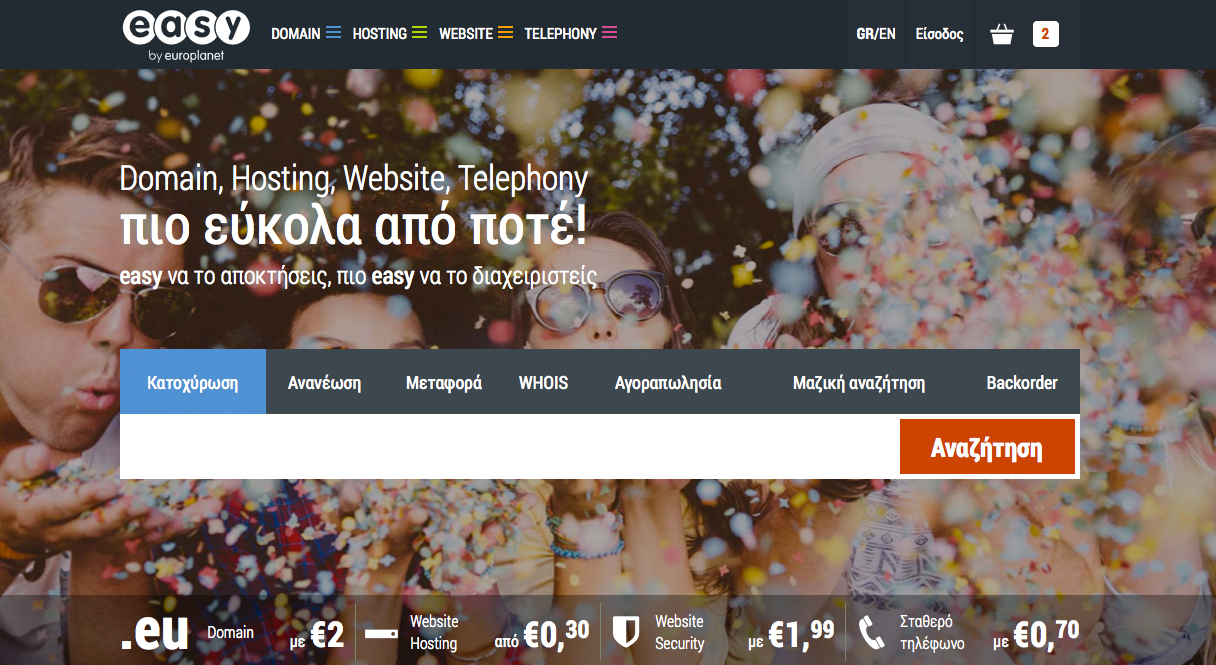
    easy.gr new platform screenshot

    Welcome to the new easy.gr

    From Monday 17/11 our redesigned site easy.gr is live. It brings all our services together through an improved, user-friendly Control Panel — and all your data has already been migrated securely. Read on for a quick guide to what changed and what to do next.

    What changed and why it matters

    The main change is a single, upgraded platform that consolidates our services and puts them inside a more advanced and easier-to-use Control Panel. The goal is to make routine tasks faster and reduce friction so you can focus on what matters: your website and business.

    What we moved

    • All account data and settings were migrated to the new platform.
    • Service access is now unified via the new Control Panel.
    • Data transfer was completed securely — you don’t need to take action to move your existing information.

    How this affects you

    • Login with your usual credentials and explore the new Control Panel interface.
    • You should find the same services available, now organized in one place for convenience.
    • Routine tasks may feel faster thanks to the redesigned workflow.

    Quick checklist — what to do next

    1. Log in and familiarise yourself: Sign into easy.gr and take a tour of the Control Panel. Update any bookmarks if needed.
    2. Check your services: Open your hosting, domains or email sections and confirm your settings look correct.
    3. Test critical functionality: Visit your website, send/receive a test email, or access webmail to make sure everything is working as expected.
    4. Update contact preferences: Review your profile and contact details so notifications reach you.

    If you find problems

    Although the migration was completed successfully and securely, small issues can happen. If you notice any problem or unexpected behaviour, please let us know immediately so we can investigate and fix it.

    • Report anything unusual through our usual support channels.
    • Include screenshots and steps to reproduce the issue when possible — it helps us resolve things faster.

    Final note

    Welcome to the new easy.gr — a more streamlined platform designed to make your life easier. All your data has already been moved safely; now it’s time to explore the new Control Panel and enjoy the updated experience. If you need help, our support team is ready to assist.

  • Still Sketching on Paper? Why Old‑School Prototyping Still Matters

    Still Sketching on Paper? Why Old‑School Prototyping Still Matters

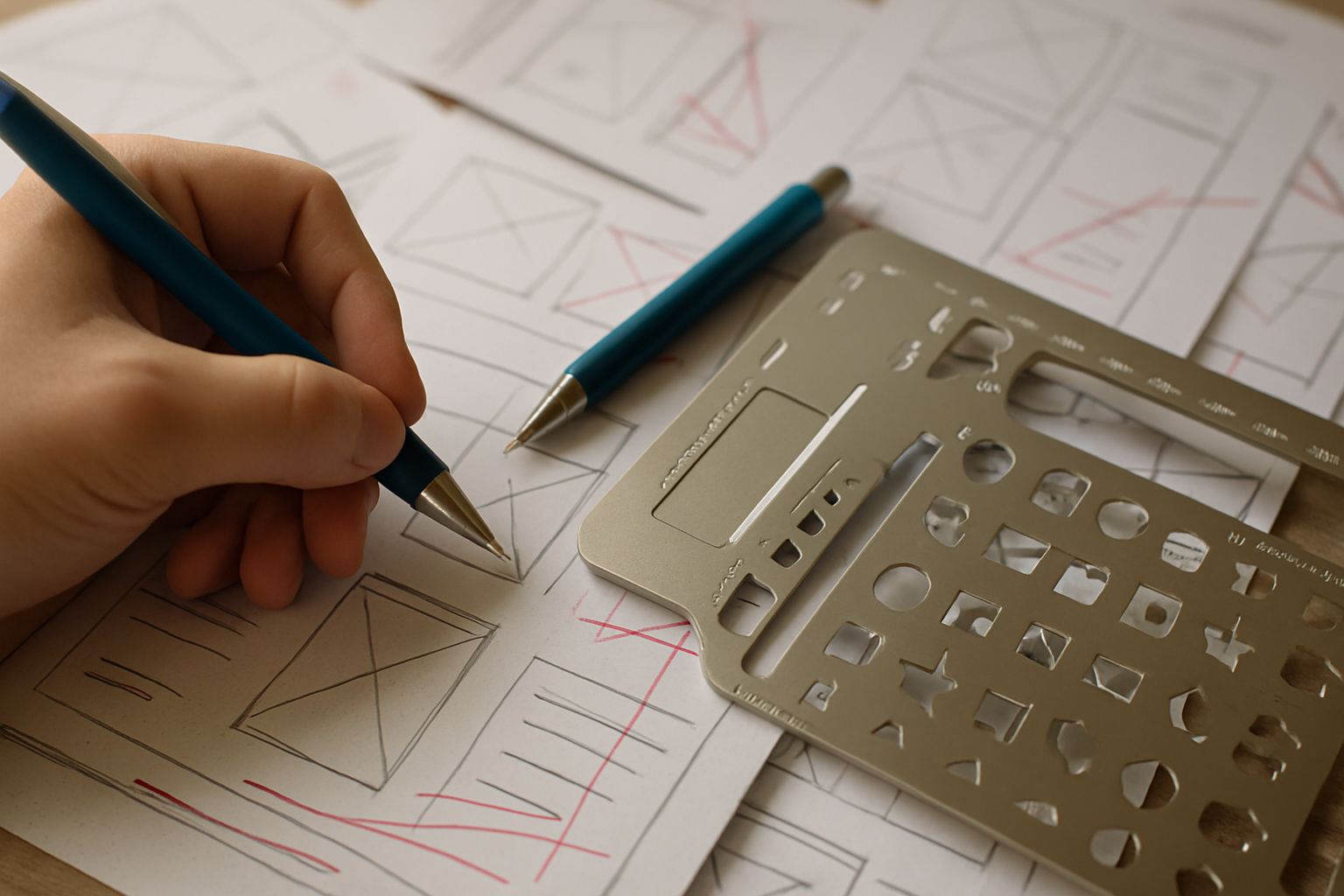
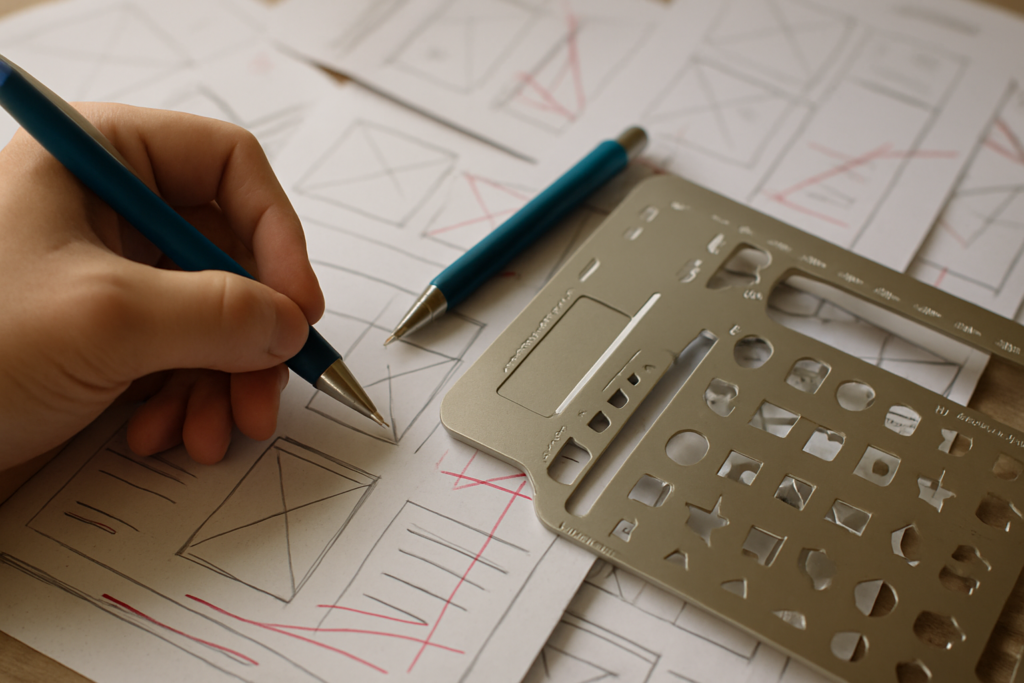
    Paper sketch pad and UI stencils for quick app prototyping

    Introduction

    Wireframes, clickable prototypes and design systems dominate modern UX workflows — yet a surprising number of designers and founders still reach for a pen and paper first. The basics matter: sketching on paper is fast, forgiving and keeps the focus on ideas rather than pixels. If you love tactile tools, there are even dedicated stencils, sketch pads and themed t‑shirts that celebrate the craft.

    Why paper still matters

    There are several practical reasons to start on paper:

    • Speed: No boot time, no tool menus — just a pen and an idea.
    • Clarity: Rough sketches force you to prioritise layout and flow, not visual details.
    • Collaboration: Paper sketches invite quick iteration with stakeholders and users in real time.
    • Low cost and low commitment: You can explore many concepts without the overhead of file management or version control.

    Quick tip

    If you like premade helpers, stencil sets and sketch pads let you draw common UI elements faster. Some vendors also sell themed t‑shirts for enthusiasts — for example, design fans will find t‑shirts at uistencils.com.

    How to use stencils and sketch pads effectively

    Stencils and sketch pads are tools, not replacements for thinking. Use them to:

    1. Start with scenarios or user goals, not screens. What does the user need to do?
    2. Sketch multiple variations quickly — label each sketch with the idea behind it.
    3. Annotate user flows: arrows, notes and edge cases show intent beyond visuals.
    4. Take photos of paper sketches and add them to feedback threads or project trackers.

    When to move from paper to pixels

    Paper is great for exploration and alignment, but at some point you’ll want fidelity and interactivity:

    • Move to digital when stakeholders need realistic layouts or when visual design decisions affect feasibility.
    • Use digital tools for usability testing that requires clickable prototypes or analytics.
    • Keep paper artifacts as a design memory — they can guide early-stage marketing, content or pitching materials.

    Practical benefits for small businesses and brands

    For startups and small teams, paper prototyping supports quick branding and content decisions without the cost of polished mockups. Early sketches help teams agree on structure and messaging before spending time on visual assets — saving time and reducing rework.

    Conclusion

    Old‑school sketching is not nostalgia — it’s a pragmatic step in a healthy design process. Whether you prefer blank paper or specialised stencils and sketch pads, the goal is the same: move ideas forward quickly, learn from low‑cost experiments, and only then invest in high‑fidelity designs. If you enjoy the tactile side of design, a well‑chosen stencil or a playful t‑shirt is just a nice bonus.