
Tag: Content Marketing

  • AI and e-commerce

    AI and e-commerce

    Illustration of an AI assistant in an e-commerce environment with products, customer support, product recommendations and sales analytics.

    AI that actually helps your online store

    Artificial intelligence is no longer something only large platforms and tech giants can use. Even a small or mid-sized online store can apply AI to work faster, present products more effectively and support customers with greater consistency.

    The point is not to add AI everywhere, but to use it where it solves real problems: product descriptions, customer support, marketing, recommendations and data analysis.

    Quick checklist: Where AI delivers fast wins

    • Generate first drafts of product descriptions for editors to refine.
    • Power recommendations that respond to behavior and past purchases.
    • Automate answers to common support questions tied to your knowledge base.
    • Use AI to draft campaign copy and test variations faster.
    • Analyze sales and funnel data to spot improvement opportunities.

    Product descriptions without starting from scratch

    Writing product descriptions becomes slow and repetitive when your catalogue grows. AI can produce a first draft from product features, audience and brand tone. A human should review, edit and adapt the final version.

    Best practice: let AI create the first draft; keep final decisions with your team so accuracy and brand voice are preserved.

    Smarter product recommendations

    AI helps recommend products based on behavior, preferences, previous purchases and common searches. The value is not showing more items but showing the right items at the right moment—helping customers find what they need faster.

    Customer support that reduces waiting time

    AI assistants can handle routine questions about orders, shipping, returns, payments and availability. When they’re connected to a well-structured knowledge base, they reduce response time and let human agents focus on complex cases.

    Marketing and campaign support

    Use AI to draft email campaigns, headlines, ad copy and social captions. It accelerates the creative process and supplies more ideas to test; it does not replace your strategy.

    Sales and behaviour analysis

    Online stores generate lots of signals—page views, cart additions, drop-offs and category performance. AI can help interpret that data and turn numbers into actionable decisions: identify pages that need better descriptions, find cross-sell opportunities or spot underperforming products.

    Where you should be careful

    AI must not publish product descriptions, prices, return policies or technical specifications without review. Errors in details such as warranty or availability can quickly damage customer trust.

    Be cautious with customer data: do not upload personal information into tools without understanding their privacy policies and compliance requirements.

    Common mistakes to avoid

    1. Publishing AI content without human review: AI can make factual mistakes or produce generic text.
    2. Using the same style for every product: repetitive descriptions lower perceived quality.
    3. Adding a chatbot that does not solve real problems: a non-helpful bot frustrates customers.
    4. Ignoring data: AI is most effective when it works with real store data, not assumptions.
    5. Using AI without a privacy policy that covers how customer data is handled.

    Frequently asked questions

    Can AI write all product descriptions?It can help significantly, but every description should be reviewed before publication.

    Can AI increase sales?It can support sales by improving content, making recommendations more relevant, speeding up support and clarifying data-driven decisions.

    Does AI only make sense for large stores?No. Small e-commerce businesses can save time on descriptions, emails and customer support and gain insights from their own data.

    Conclusion

    AI can be a practical, valuable tool for any online store when used with clear objectives and human oversight. Its real value lies in speeding up routine work, improving the customer experience and extracting better insights from the data your shop already produces.

    Want to explore AI for your e-shop?

    Easy provides guides and resources to help online stores apply AI smartly—drafting content, improving recommendations and automating support without losing control. Learn more at Easy.


  • AI tools for small / medium business

    AI tools for small / medium business

    Illustration of an AI assistant on a laptop with digital tools for content creation, marketing, customer support, analytics and automation.

    Introduction: AI at a human scale

    Not long ago, artificial intelligence belonged to teams of engineers and data scientists. Today, many AI tools are accessible to non-technical users and can make daily work faster and less repetitive. The aim isn't to collect every shiny tool — it's to pick solutions that solve real business problems and free up time for higher-value work.

    Start small: where to focus first

    Pick one high‑impact task — the one that consumes the most time — and test AI there. Typical starting points:

    • Content drafts (product descriptions, newsletters)
    • Answering frequent customer questions
    • Summarizing meeting notes and documents

    Measure results, adjust prompts and guard sensitive data. Small wins compound quickly.

    Content creation: draft faster, keep the voice

    Content generation is one of the most mature uses of AI. Tools can produce article drafts, product descriptions, email templates, FAQs and social captions in seconds. Use them as a starting point — edit to add your expertise and brand tone.

    • Generate multiple headline or caption options and A/B test what works.
    • Ask the AI for different tones: professional, playful, concise or explanatory.
    • Reuse prompts that give consistently good results to speed future work.

    Customer support: faster, more consistent answers

    AI assistants can handle routine requests, point visitors to relevant pages, and reduce response times for common questions. When they’re connected to a well-structured knowledge base, they deliver consistent answers around the clock.

    • Use AI for first-level support and to triage tickets for human agents.
    • Keep an escalation path for complex, legal or financial questions.
    • Continuously update the underlying knowledge base so answers stay accurate.

    Marketing and social media: ideas and scale

    AI can help generate campaign ideas, ad copy, publishing schedules and social media captions. It’s especially useful when you need several creative variations quickly.

    • Automate content calendars and bulk caption generation, then human-edit for brand fit.
    • Ask AI to rewrite copy for different channels (email, Instagram, LinkedIn).
    • Use generated lists of keywords or hashtags as starting points for SEO and discovery.

    Organizing everyday work: less admin, more focus

    AI can summarize long documents, turn meetings into action lists, organize notes and find information faster. That reduces time spent on repetitive admin and gives teams more capacity for important decisions.

    • Turn meeting transcripts into concise summaries and assigned tasks.
    • Automatically extract contact details, deadlines and action items from documents.
    • Use searchable summaries to make company knowledge easier to find.

    Data analysis: insights without complex tools

    Even without advanced analytics skills, AI can interpret reports, spot trends and explain numbers in plain language. It helps turn raw data into actionable recommendations while leaving final decisions to people.

    • Ask AI to highlight anomalies, recurring patterns or top-performing products.
    • Use natural-language queries to explore business data without SQL knowledge.

    Automation: combine AI with workflows

    Combining AI with workflow automation reduces repetitive work and keeps things moving consistently. Common automations include:

    • automatic email responses and follow-ups,
    • scheduled report generation,
    • support ticket categorization and routing,
    • document summarization and distribution,
    • task creation and prioritization from meeting notes.

    Where you should be careful

    AI is powerful but imperfect. Always review outputs before publishing, and avoid sharing truly confidential information unless you understand the service’s privacy and data‑handling policies. Be particularly cautious with legal, financial, medical or safety‑critical content.

    • Verify facts and references before using generated content externally.
    • Keep a human-in-the-loop for decisions that affect customers or compliance.
    • Review vendor policies about data retention and training usage.

    How to choose the right tools

    Don’t buy tools because they exist. Follow a short checklist:

    1. Identify the task that wastes the most time today.
    2. Test a single tool on a real example — measure time saved and quality.
    3. Ensure you can protect sensitive information and maintain an audit trail.
    4. Scale to adjacent tasks only after you have reliable results.

    Frequently asked questions

    Do I need technical knowledge?No — many modern AI tools accept natural-language prompts and are designed for non-technical users.

    Can AI replace an employee?Usually not. AI reduces the time needed for repetitive tasks and raises productivity, but people are still needed for judgement, creativity and final approvals.

    Do I need lots of different AI tools?Not necessarily. A small set of versatile tools often covers most daily needs if configured correctly.

    Conclusion

    AI is no longer a luxury for big companies. With purposeful selection and sensible safeguards, even small and medium businesses can use AI to become more organized, efficient and productive. The key is to start with a real problem, measure improvement, and keep humans in control of critical decisions.

    Want practical guidance?

    Begin with one process, run a short pilot and measure results. If you’d like structured help, Easy provides guides and resources to discover which AI tools best fit your workflow.

  • SMS Advertising That Just Works: A Practical Guide to myeasy Campaigns

    SMS Advertising That Just Works: A Practical Guide to myeasy Campaigns

    Why SMS still matters

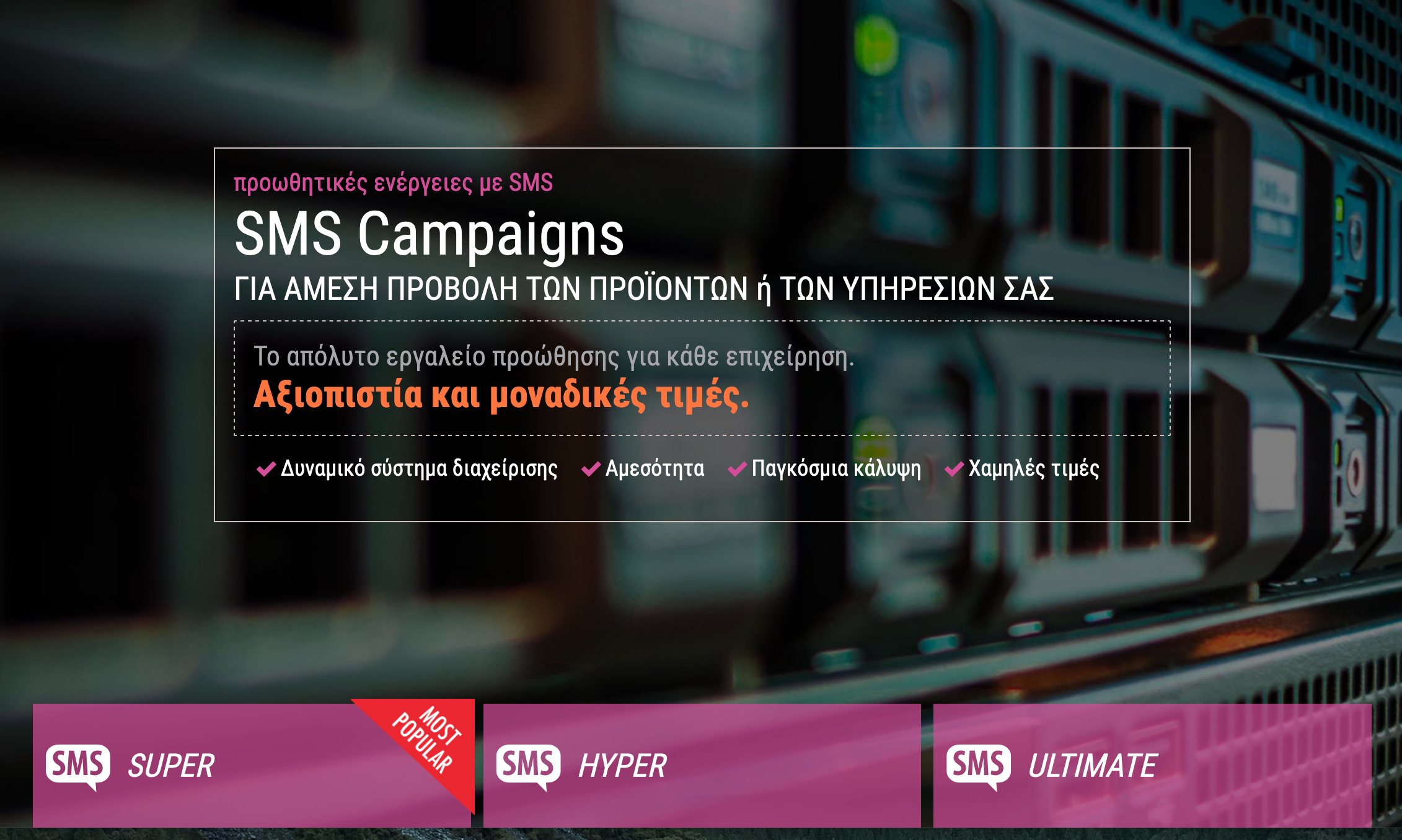
    SMS Advertising That Just Works: A Practical Guide to myeasy Campaigns — SMS campaign

    SMS is one of the fastest, most direct channels to reach customers — especially for time‑sensitive offers, reminders and updates. Open rates are high, messages land straight on a user’s phone and, when used thoughtfully, SMS can lift sales and engagement without the noise of other channels.

    How myeasy makes campaigns simple

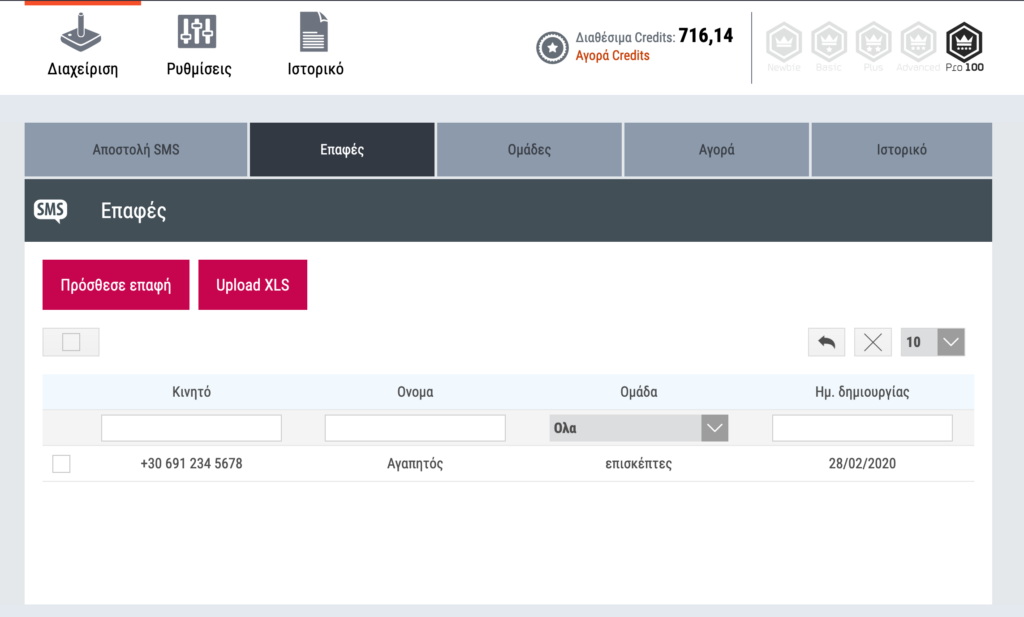
    myeasy offers an entry point for businesses that want to run SMS advertising without complicated tools or extra hardware. You can upload a ready-made XLS file with your contacts and groups, and myeasy will automatically organize and group them for you. In minutes you can be ready to send thousands of messages with a single click — backed by a provider with more than 26 years of experience.

    Upload and organize contacts

    • Upload an XLS file with contacts and groups — no special skills required.
    • Automatic grouping helps you target audiences quickly (e.g., customers, prospects, VIPs).

    Scheduling and automation

    Schedule one‑time broadcasts or set up automated, recurring sends to build a simple, repeatable communication flow. Automation makes it easier to keep customers informed without manual effort.

    Features at a glance

    • Dynamic sender — set the sender name before each send.
    • International coverage — send messages to more than 190 countries and over 400 networks.
    • Detailed history — review the delivery history of your SMS campaigns.
    • Number portability support — recipients receive your message even if they have moved their number to a different network.
    • No special equipment — campaigns are managed from the platform; you only need your contact file and a browser.

    Types of SMS

    • Simple SMS — up to 158 characters (including spaces).
    • Long SMS — composed of two or more consecutive SMS messages for longer content.
    • Unicode SMS — supports all Unicode characters (including Greek); 158 characters per SMS.
    • Personalized SMS — include custom fields (for example recipient name) to make messages feel personal.

    Practical tips for better results

    • Keep messages concise and focused on one clear call to action.
    • Use personalization sparingly to increase relevance (first name, appointment time, order status).
    • Test different send times and message variants to see what converts best.
    • Make unsubscribing easy and honour local regulations — check the legal rules that apply to SMS marketing in your markets.
    • Track performance in the platform’s delivery history and iterate.

    Ready to start your campaign?

    Go to the SMS Campaign section in myeasy to upload your contact list and launch your first broadcast.

    Conclusion

    SMS advertising remains a powerful channel when used responsibly. With myeasy you get a straightforward workflow — upload your XLS, segment automatically, schedule or automate sends, and measure results. For small businesses and marketers who need direct, reliable delivery, SMS campaigns are a practical addition to your marketing mix.

  • Easy.gr Returns as Gold Sponsor for WordCamp Athens 2017

    Easy.gr Returns as Gold Sponsor for WordCamp Athens 2017

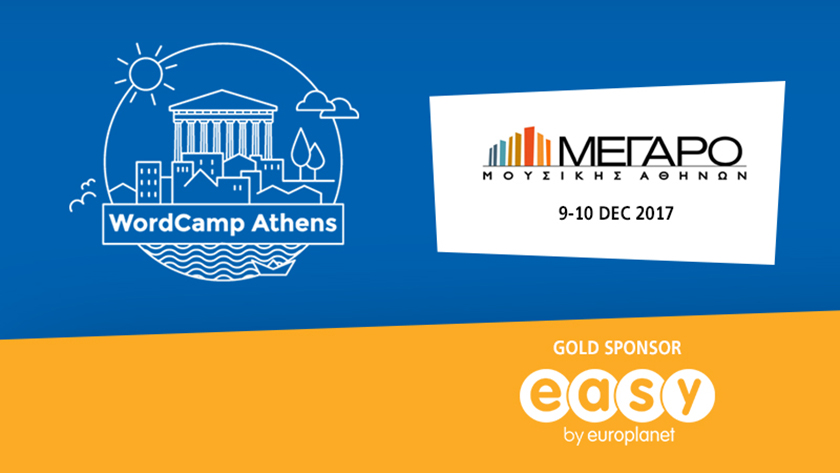
    WordCamp Athens 2017 - Easy.gr Gold Sponsor

    Easy.gr: Gold Sponsor of WordCamp Athens 2017

    We’re excited to support the WordPress community as a Gold sponsor for the second consecutive WordCamp Athens. Last year’s meetup took place at Technopolis in Gazi; this edition is held at the Megaro Mousikis.

    Why we support WordPress

    Easy.gr Returns as Gold Sponsor for WordCamp Athens 2017 — Gold Sponsor easy.gr

    WordPress is a free, open‑source content management system and the most widely used publishing platform on the web. It lets site owners publish, update and manage content without deep technical knowledge, while also offering APIs and extensibility for developers. With hundreds of themes and plugins and a large community contributing templates and tools, WordPress scales from simple personal blogs to complex professional sites.

    What is WordCamp?

    WordCamps are community‑organized conferences that focus on WordPress and the broader web ecosystem. Supported globally by the WordPress Foundation, WordCamps bring together talks and workshops on topics such as startups, e‑commerce, blogging and more. Around 40% of the sites you encounter daily are built on WordPress, which helps explain the growing interest and attendance in events like WordCamp Athens.

    Who should attend WordCamp Athens

    WordCamp Athens is aimed at anyone interested in WordPress and the web — from beginners to experienced professionals. Typical attendees include:

    • Web developers and designers
    • Bloggers and journalists
    • Content editors and site administrators
    • Social media managers and digital marketers
    • Business owners and e‑commerce teams

    What to expect from the program

    Sessions at WordCamps usually cover a mix of practical and strategic topics. Examples of common themes:

    • Technical talks on development, APIs and performance
    • E‑commerce best practices and case studies
    • Content strategy, blogging and editorial workflow
    • Business and startup advice tied to WordPress sites
    • Workshops and community networking

    Event details and where to learn more

    This edition of WordCamp Athens takes place at the Megaro Mousikis. For full information about speakers, schedule and tickets, visit the event site:WordCamp Athens 2017. You can also learn more about the WordPress project atwordpress.org.

    Why attending matters

    Whether you’re building sites on WordPress, managing content, or working in digital services, WordCamp Athens is a practical chance to:

    • Learn from peers and experienced speakers
    • Find solutions and inspiration for real projects
    • Connect with the local WordPress community
    • Explore the ecosystem of themes, plugins and tools

    Conclusion

    Easy.gr is proud to support the WordPress community as a Gold sponsor of WordCamp Athens 2017. If you work with WordPress or are curious about building a better web presence, this event is a great opportunity to learn, network and get involved. Check the official WordCamp Athens site for the latest updates and registration information.

  • And the winner is… our Christmas GoPro HERO4 giveaway

    And the winner is… our Christmas GoPro HERO4 giveaway

    Announcement

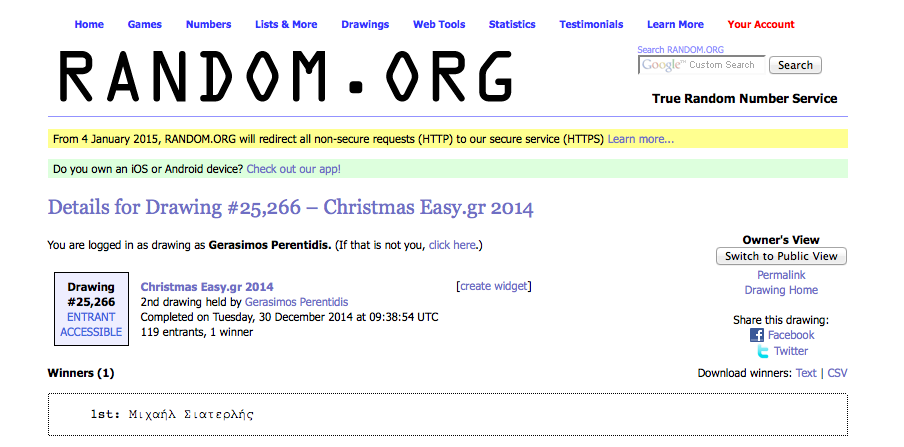
    And the winner is… our Christmas GoPro HERO4 giveaway — Screen Shot 2014-12-30 at 11.40.21 AM

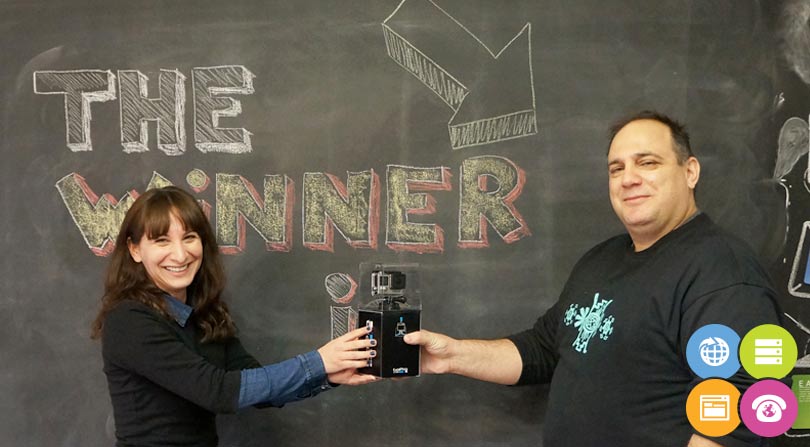
    With great pleasure we announce the winner of this year’s Christmas giveaway: the GoPro HERO4 Silver Edition. And the winner is…Μιχαήλ Σιατερλής (Michail Siaterlis).

    Winner and draw details

    Congratulations to Μιχαήλ Σιατερλής — the official draw details are publicly available at random.org.

    About the prize

    The prize for this giveaway was a GoPro HERO4 Silver Edition — a compact action camera popular for capturing high-quality footage in active and outdoor settings.

    Thanks to everyone who participated

    We want to thank everyone who entered the contest and helped make this giveaway special. Your participation and enthusiasm are what make community events like this possible.

    What’s next

    If you took part in the giveaway, keep an eye on your inbox and our channels for news about future contests and promotions. Once again, congratulations to the winner, and we wish everyone a great year ahead.

    Closing

    Happy New Year from the Easy team — and thank you for being part of our community!

  • Why Pawel Kuczynski’s Facebook Sketches Stop You and Make You Think

    Why Pawel Kuczynski’s Facebook Sketches Stop You and Make You Think

    Introduction

    Pawel Kuczynski is a Polish, award‑winning illustrator whose bold, satirical drawings have earned a large international following. His recent series of sketches shared on Facebook continues that tradition: short, often stark images that distill complex social, political and economic issues into single frames. The result is work that’s easy to share and hard to forget.

    See more of his work

    To explore Kuczynski’s portfolio and recent projects, visit his official website: www.pawelkuczynski.com.

    What makes these sketches so effective?

    • Simplicity with a bite: Kuczynski pares scenes down to essentials, then twists a detail to expose irony or hypocrisy.
    • Visual metaphors: Objects and figures become symbols—easy to read, but open to interpretation.
    • Universal themes: Rather than local references, many sketches address broad topics—consumerism, power, media—that travel across cultures.
    • Shareability: Short, high‑contrast images perform well on platforms like Facebook, helping ideas spread quickly without losing impact.

    Why his work still matters in 2026

    Illustration and satire have always been tools to question accepted narratives. In an era of rapid information flow and short attention spans, concise visual commentary can:

    • Cut through noise and prompt reflection in seconds.
    • Encourage conversation across demographics that might not read long essays.
    • Act as cultural time capsules—capturing public moods and tensions in memorable frames.

    How to read and share satirical art responsibly

    • Look for context: A sketch may comment on a system or behavior rather than a single person; read captions or artist notes when available.
    • Avoid snap judgments: Satire uses exaggeration; think about the underlying point before reacting.
    • Credit the artist: When you share, include the artist’s name and link to their site or profile so viewers can explore more.
    • Use it to open dialogue: If a piece provokes you, ask why and invite others to discuss rather than escalate conflict.

    For creatives and communicators

    Kuczynski’s approach offers useful lessons for anyone building a visual presence online:

    • Be concise: A single strong idea often beats complexity on social platforms.
    • Use metaphor: Visual shorthand can communicate layered meanings without long explanations.
    • Respect your audience: Provocation works best when it aims to illuminate rather than simply shock.

    Conclusion

    Pawel Kuczynski’s Facebook sketches are reminders of what illustration can do: compressing social critique into images that are immediate, shareable and thought‑provoking. Whether you follow his work for inspiration or for reflection, his art is a prompt to pause and consider the world behind our headlines.

  • Still Sketching on Paper? Why Old‑School Prototyping Still Matters

    Still Sketching on Paper? Why Old‑School Prototyping Still Matters

    Paper sketch pad and UI stencils for quick app prototyping

    Introduction

    Wireframes, clickable prototypes and design systems dominate modern UX workflows — yet a surprising number of designers and founders still reach for a pen and paper first. The basics matter: sketching on paper is fast, forgiving and keeps the focus on ideas rather than pixels. If you love tactile tools, there are even dedicated stencils, sketch pads and themed t‑shirts that celebrate the craft.

    Why paper still matters

    There are several practical reasons to start on paper:

    • Speed: No boot time, no tool menus — just a pen and an idea.
    • Clarity: Rough sketches force you to prioritise layout and flow, not visual details.
    • Collaboration: Paper sketches invite quick iteration with stakeholders and users in real time.
    • Low cost and low commitment: You can explore many concepts without the overhead of file management or version control.

    Quick tip

    If you like premade helpers, stencil sets and sketch pads let you draw common UI elements faster. Some vendors also sell themed t‑shirts for enthusiasts — for example, design fans will find t‑shirts at uistencils.com.

    How to use stencils and sketch pads effectively

    Stencils and sketch pads are tools, not replacements for thinking. Use them to:

    1. Start with scenarios or user goals, not screens. What does the user need to do?
    2. Sketch multiple variations quickly — label each sketch with the idea behind it.
    3. Annotate user flows: arrows, notes and edge cases show intent beyond visuals.
    4. Take photos of paper sketches and add them to feedback threads or project trackers.

    When to move from paper to pixels

    Paper is great for exploration and alignment, but at some point you’ll want fidelity and interactivity:

    • Move to digital when stakeholders need realistic layouts or when visual design decisions affect feasibility.
    • Use digital tools for usability testing that requires clickable prototypes or analytics.
    • Keep paper artifacts as a design memory — they can guide early-stage marketing, content or pitching materials.

    Practical benefits for small businesses and brands

    For startups and small teams, paper prototyping supports quick branding and content decisions without the cost of polished mockups. Early sketches help teams agree on structure and messaging before spending time on visual assets — saving time and reducing rework.

    Conclusion

    Old‑school sketching is not nostalgia — it’s a pragmatic step in a healthy design process. Whether you prefer blank paper or specialised stencils and sketch pads, the goal is the same: move ideas forward quickly, learn from low‑cost experiments, and only then invest in high‑fidelity designs. If you enjoy the tactile side of design, a well‑chosen stencil or a playful t‑shirt is just a nice bonus.