Tag: WordPress

  • What to do if your website is hacked

    What to do if your website is hacked

    Illustration of the first steps to contain, clean and secure a compromised website.

    Stay calm and act methodically

    Unexpected ads, a Google security warning, strange redirects or loss of administrator access are alarming — but panicking makes recovery harder. Breathe, gather information and follow a clear sequence: confirm the problem, preserve evidence, contain the attack, remove malicious code and then repair and harden the site.

    Quick reminder

    Don’t delete files or restore backups immediately. Early changes can destroy evidence that explains how the attacker got in — and without that you risk repeated compromises.

    The first checks: is it really a hack?

    Not every site problem is a hack. Before you commit to incident response, rule out common non‑malicious causes:

    • Domain expired or DNS misconfigured
    • Hosting outage or control panel problem
    • Expired or misconfigured SSL/TLS certificate
    • A buggy plugin or theme (especially after an automatic update)
    • Search engine warnings caused by outdated content or third‑party scripts

    Step 1 — Collect information and evidence

    Before you change anything, collect facts that will help you understand the scope of the incident and find the entry point:

    • Take screenshots of warnings, injected content and unexpected pages.
    • Check server and application logs (access logs, error logs, control panel logs).
    • Note which URLs are affected (homepage, specific pages, admin area).
    • Identify when the issue started and any recent changes (plugin installs, updates, new users, file uploads).

    Step 2 — Change all passwords and revoke sessions

    Assume credentials were exposed. Immediately change passwords for:

    • Hosting control panel (cPanel, Plesk, ISPmanager, etc.)
    • CMS administrator accounts (WordPress admins)
    • FTP/SFTP and SSH accounts
    • Database users (MySQL/PostgreSQL)
    • Any linked email accounts and third‑party integrations

    Where possible, revoke active sessions and API keys. Enable two‑factor authentication for accounts that support it.

    Step 3 — Make a full backup (preserve evidence)

    Make a complete snapshot of your site (files and database) before you delete anything. This preserves evidence for investigation and gives you a safe copy to inspect offline.

    Step 4 — Scan and inspect files and users

    Look for indicators of compromise:

    • New or recently modified files in web folders (suspicious PHP,.js,.php5,.phtml files)
    • Files with obfuscated or base64‑encoded code
    • Unknown administrator users in your CMS
    • Unexpected scheduled tasks (cron jobs) or persistent backdoors

    Step 5 — Find the entry point

    If you don’t identify how the attacker gained access, they may return.Common entry points are:

    • Outdated CMS core, plugins or themes (WordPress is a frequent target)
    • Compromised FTP/SSH or weak passwords
    • Vulnerable third‑party scripts or integrations
    • Unpatched server software or misconfigured permissions

    Step 6 — Contain and remove the malware

    Contain the damage, then remove malicious code carefully:

    1. Temporarily take the site offline or show a maintenance page if necessary.
    2. Replace infected core files with clean copies from an official source.
    3. Remove unknown plugins, themes and suspicious files — but keep your backup snapshot.
    4. Clean or rebuild modified templates and uploads; scan media folders for hidden scripts.
    5. Reset database users’ passwords and inspect tables for injected content.

    Step 7 — Restore from a known‑good backup if needed

    If the site is extensively damaged, restoring from a clean backup is often the safest route. Ensure the backup predates the compromise and that you patch the entry point before putting the restored site online.

    Step 8 — Patch, update and harden

    After recovery, close the doors the attacker used and reduce future risk:

    • Update CMS, plugins, themes and server software to the latest secure versions.
    • Harden file and folder permissions and disable unnecessary services.
    • Limit admin accounts and use strong, unique passwords plus two‑factor authentication.
    • Install a Web Application Firewall (WAF) or CDN with security features where appropriate.
    • Implement regular backups and test restores.

    Step 9 — Monitor and confirm clean operation

    After the site is live again, monitor logs, uptime and search engine warnings. Consider running malware scans for several days and verify there are no reoccurring modifications.

    When to call for professional help

    If the compromise is extensive, you cannot locate the entry point, or sensitive user data may have been exposed, get professional incident response. A security assessment can identify the root cause and recommend safe next steps.

    Need help investigating a compromise?

    Easy’s website security team can assist — they can help evaluate the incident, identify the entry point and suggest the safest way to recover. Request a Website Security Assessment.

    Conclusion

    The biggest mistake after a website compromise is restoring the site without identifying and fixing the root cause.Preserve evidence, change credentials, remove threats, then restore and harden your site. Regular updates, strong passwords, two‑factor authentication and tested backups are the best defenses against future incidents.
  • Hosting for WooCommerce: How to Support Your E‑shop Properly

    Hosting for WooCommerce: How to Support Your E‑shop Properly

    Intro

    If you run or plan to start an e‑shop withWooCommerce, you already know that performance, security and reliability are critical. Everything starts with the right hosting. This article explains why WooCommerce needs stronger hosting than a simple blog and what hosting features to prioritise—using the solutions offered byeasy.gras an example.

    Why WooCommerce needs specialised hosting

    WooCommerce is a powerful but resource‑hungry plugin for WordPress. If your store runs on an underpowered server:

    • Pages and product lists will load slowly, especially with many items.
    • Visitors are more likely to abandon carts due to poor performance.
    • Upgrades or additional plugins can trigger conflicts or errors.

    A hosting package tailored for WooCommerce helps your store runsmoothly, quickly and securely.

    What easy.gr provides for your e‑shop

    easy.groffers WordPress hosting configured to support WooCommerce. Key features mentioned for an e‑shop include:

    • ⚡ SSD drives for faster loading times
    • Free SSL certificates to protect transactions
    • Daily backups and firewall protection
    • One‑click WooCommerce installation
    • Greek support for any questions or issues
    • Easy resource upgrades as your store grows

    Best practices for hosting a WooCommerce store

    1. Choose a server running PHP 8+ and MySQL 5.7+ (or compatible versions).
    2. Ensure there is enough RAM and CPU headroom to handle traffic spikes.
    3. Use caching (for example LiteSpeed Cache) to speed up page delivery.
    4. Add a CDN to improve performance for customers worldwide.
    5. Work with a hosting partner that understands e‑commerce needs, like easy.gr.

    Conclusion

    Hosting can be the difference between an e‑shop that converts customers and one that loses them. Choose infrastructure that prioritises speed, security and scalability so your WooCommerce store can grow without being held back.

    Ready to make your store faster and more reliable?

    Choose easy.gr for WooCommerce hosting that includes SSD storage, free SSL, daily backups and one‑click installation—plus local support and easy upgrades as your shop expands. See plans and details at easy.gr.

  • Choosing the Best WordPress Hosting in Greece: A Beginner’s Guide

    Choosing the Best WordPress Hosting in Greece: A Beginner’s Guide

    Introduction

    WordPress is the most popular platform for building websites — whether you want a simple blog, an online store, or a professional business site. To run smoothly, securely and without interruptions, your site needs reliable hosting. This guide walks through the practical things to look for when choosing WordPress hosting in Greece and highlights the features easy.gr offers.

    Why specialized WordPress hosting matters

    General shared hosting can work for tiny sites, but WordPress-specific hosting adds value in four practical areas:

    1. Loading speed – visitors leave if pages are slow; hosting on SSD storage and tuned servers helps keep pages fast.
    2. Security – WordPress sites are common attack targets; a hosting provider that offers firewalls, malware protection and updates reduces risk.
    3. Easy setup – 1-click WordPress installation gets you started quickly without technical steps.
    4. Support – responsive help, ideally in your language, matters when things go wrong or when you need guidance.

    What easy.gr offers

    easy.gr brings more than 20 years of experience in the Greek market and provides a set of WordPress-focused hosting features that match the practical needs above:

    • Automatic WordPress installation for a fast start
    • Free SSL certificate to secure data in transit
    • Daily backups to protect your content and let you recover quickly
    • Support in Greek from a local team
    • Hosting on SSD storage for improved performance
    • Control-panel options: cPanel or Plesk for familiar site and server management

    Quick checklist before you choose

    • Performance: SSD storage and caching options.
    • Security: SSL, backups and malware protection.
    • Usability: 1-click installation and an intuitive control panel (cPanel or Plesk).
    • Support: availability in Greek and clear escalation paths.
    • Scalability: ability to upgrade as your traffic grows.

    Who this hosting fits

    WordPress hosting from a provider like easy.gr is suitable for a wide range of users:

    • Bloggers who want a quick, reliable setup
    • Freelancers and professionals building portfolios or service sites
    • Small e-commerce stores using WooCommerce
    • Trainers, nutritionists or consultants offering online programs

    Making the final choice

    When comparing plans, don’t focus only on price. Balance cost with the concrete features that affect your site day-to-day: performance (SSD, caching), backup frequency, SSL availability, the control panel you prefer (cPanel or Plesk), and local-language support. For many Greek businesses, having a provider with long local experience and Greek support is an important advantage.

    Conclusion

    Hosting is the foundation of any professional website. Choosing WordPress hosting that is optimized for performance, security and ease of use will save time and headaches. easy.gr offers the core features most beginners need — automatic installation, free SSL, daily backups, SSD hosting and Greek support — making it a practical option for those launching or growing a WordPress site in Greece.

    Get started todaywith WordPress hosting and build the site your business deserves. Visiteasy.grto learn more.

  • WordPress 5.9 Beta 1 Available for Testing — What to Expect

    WordPress 5.9 Beta 1 Available for Testing — What to Expect

    The WordPress team has released WordPress 5.9 Beta 1 and invited the community to test it. The beta build is still in development, so the team warns against running it on live websites. The final WordPress 5.9 release is scheduled for 25 January, about eight weeks after Beta 1. Testing during this period helps polish the release and find bugs before the stable build ships.

    Quick safety reminder

    Do not install the beta on production sites. Use a local, staging, or otherwise isolated environment. Back up any test sites before you begin and report issues to the WordPress project so they can be fixed before the final release.

    What’s new in WordPress 5.9

    WordPress 5.9 continues the move toward full-site editing and deeper block-driven site controls introduced in earlier versions. Highlights in this beta include:

    • Full Site Editing — The editing experience now allows interacting with blocks and site elements at the administrator level without coding. This builds on capabilities introduced in recent releases and broadens what you can change from the editor interface.
    • Expanded theme.json — Theme configuration via theme.json has been improved to support child themes and duotone images. It also expands style and feature controls for themes and blocks.
    • theme.json feature details — The file now supports additional layout and styling options, including border properties (color, style, width, and border-radius), flex layout gaps (Block Gap), typography settings (font families, style, weight, decoration, transform), and image duotones.
    • New and improved blocks — Navigation Block provides a block-based way to build menus and site navigation. The Image Block has been improved to allow handling single images inside a gallery the same way standalone images are treated.

    How to try the Beta

    If you want to test WordPress 5.9 Beta 1, you have three official ways to do it:

    • WordPress Beta Tester plugin — Install and activate the plugin, choose the "Bleeding edge" channel and the "Beta/RC only" stream to receive beta builds automatically.
    • Download the zip — Download the Beta 1 package directly (zip) from the WordPress release page and install it on a test site.
    • WP-CLI — Use the command line: wp core update –version=5.9-beta1 to switch a test site to the beta release.

    When to expect the final release

    The WordPress team has indicated the final WordPress 5.9 release is expected on 25 January, roughly eight weeks after the Beta 1 announcement. That schedule gives developers, theme and plugin authors, and site administrators time to test changes and report issues.

    Who should test the beta?

    Testing is especially valuable for:

    • Theme authors — Check compatibility with theme.json improvements and the expanding full-site editing features.
    • Plugin developers — Verify that blocks, admin flows, and integrations continue to work under the new editing paradigms.
    • Site owners and builders — Try new layout and image tools on staging environments to plan how updates might affect your sites.

    Conclusion

    WordPress 5.9 Beta 1 is an important milestone in the platform’s shift toward full-site editing and richer block configuration. The beta gives the community a chance to test new theme.json capabilities, navigation and image improvements, and layout controls. If you’re involved with themes, plugins, or site design, try the beta safely on a non-production environment, back up your test sites, and provide feedback to help refine the final release.

  • Black Friday: Deep Discounts on Domains and Hosting

    Black Friday: Deep Discounts on Domains and Hosting

    Black Friday: Deep Discounts on Domains and Hosting — Use code BLACK2021

    Introduction

    This Black Friday Easy.gr rolled out unusually deep discounts across domains, hosting and website services. Use the coupon codeBLACK2021at checkout to unlock the promotional prices listed below. The offers span popular TLDs, managed WordPress plans, servers hosted in Greece and more.

    How to claim the offer

    Enter the coupon BLACK2021 on the checkout page to apply the discounts. Visit easy.gr to start shopping — limited availability and specific terms apply.

    What’s on offer: Domains

    Selected TLDs are heavily discounted. Prices below are the advertised promotional rates and their original prices as shown by Easy.gr:

    • .GR — €12.90 / 2‑year (from €13.00 / 2‑year) — advertised as the lowest price worldwide
    • .ME — €2.35 / year (from €23.45 / year)
    • .SITE — €2.91 / year (from €13.90 / year)
    • .PET — €6.69 / year (from €17.90 / year)
    • .SHOP — €3.78 / year (from €40.00 / year)
    • .COFFEE — €18.43 / year (from €32.90 / year)
    • .UK — €2.90 / year (from €10.47 / year)
    • .EU — €3.20 / year (from €6.90 / year)

    Hosting and infrastructure deals

    Hosting resources and related plans are offered at steep discounts. Examples published by Easy.gr include:

    • Dedicated server (hosted in Greece) — €15 / month (from €150 / month)
    • Email plans — €3.94 / month (from €4.93 / month)
    • Semi‑dedicated GR — €19.20 / month (from €24 / month)

    Website services and extras

    • Managed WordPress — €8.17 / month (from €11.67 / month)
    • Spacefiles — €2.70 / month (from €9 / month)
    • Cookiebot — €6.77 / month (from €9.67 / month)
    • SSL (Sectigo) — €6.90 / year (from €9.90 / year)

    Domain + hosting bundle bonuses

    • .GR domain free with any 2‑year webhosting package (listed saving: €16.12)
    • .SHOP domain free with any annual webhosting package (listed saving: €40)

    Quick checklist before you buy

    • Apply the coupon BLACK2021 at checkout to see the promotional prices.
    • Confirm the billing period for each offer (annual vs. multi‑year) so you understand renewal pricing and savings.
    • If you need a.GR domain free with hosting, check the 2‑year hosting requirement to claim the bonus.
    • Review included features for managed WordPress and server plans (backups, control panel, support) before committing.
    • Visit easy.gr for the full terms and to complete your purchase.

    Conclusion

    Easy.gr’s Black Friday list packs pronounced discounts across domains, hosting, and site services. If any of the listed TLDs or hosting plans match your needs, addBLACK2021at checkout to activate the advertised prices. Head over to easy.gr to review availability and full terms.

  • 72 Hours of Cyber Prices: -50% on Domains, Hosting and WordPress at easy.gr

    72 Hours of Cyber Prices: -50% on Domains, Hosting and WordPress at easy.gr

    72 Hours of Cyber Prices: -50% on Domains, Hosting and WordPress at easy.gr

    Cyber Monday you’ve been waiting for — 72 hours of Cyber prices

    If Black Friday left you tired, easy.gr switched to Cyber mode: for a limited 72-hour window the site offers 50% off a wide range of services including domains, hosting and website products. This is an editorial look at what’s on offer, how to claim it and the small print you should know before you checkout.

    How to claim the Cyber discounts

    Use the coupon CYBER50 at checkout on easy.gr. Example published prices during the promotion:

    • .gr domain registration for €4.75 / year
    • VPS for hosting your site and email at €5.85 / month
    • Managed WordPress Hosting (with 160+ ready site templates) at €4.94 / month
    • Dedicated server in Greece (connected under GR-IX) from €74 / month

    What the offer includes

    The promotion applies site-wide to many services: domain registrations, hosting plans (VPS, managed WordPress), dedicated servers and other website products. The headline discount is 50% off the listed services when the coupon is used during the campaign period.

    Key dates and eligibility

    • Promotion period: Monday 30/11/2020 00:01 until Wednesday 2/12/2020 23:59.
    • Discount applies only to new service purchases — renewals and upgrades of existing services are excluded.
    • After the promotional period any service will renew at the then-current price list.
    • Telephony services are excluded from the Cyber Monday promotion.

    Who should consider these deals

    This sale is attractive to:

    • Anyone looking to register a new.gr domain cheaply.
    • Small businesses and freelancers who want low-cost managed WordPress hosting with ready-made templates.
    • Projects that need an inexpensive VPS for email and sites.
    • Teams seeking an onshore dedicated server under GR-IX at a discounted entry price.

    Quick buying checklist

    • Confirm the coupon CYBER50 is applied at checkout.
    • Check whether the purchase is a new service (not a renewal) to ensure eligibility.
    • Note the promotional end date and the regular renewal price that will apply afterward.
    • Verify excluded categories — telephony is not part of this promotion.

    Final thoughts

    Short, targeted promotions like this are useful if you have immediate needs: registering a new domain, starting a website, moving to a low-cost managed WordPress plan or provisioning a small VPS. If one of those fits your plan and the dates match, this Cyber Monday window at easy.gr is an easy way to lock a favourable first-year price. Always double-check the service details and renewal terms so the post-promo cost matches your budget.

    Visiteasy.grto see the full list of offers and to apply couponCYBER50during the promotional window.

  • Cyber Monday: 50% Off Domains, Hosting and WordPress at easy.gr

    Cyber Monday: 50% Off Domains, Hosting and WordPress at easy.gr

    Cyber Monday: 50% Off Domains, Hosting & WordPress at easy.gr

    Cyber Monday starts now at easy.gr

    Cyber Monday is here — and easy.gr is offering a straight 50% discount across its Domain, Hosting and Website services. This is a time-limited promotion for shoppers who want to register domains, provision hosting or pick a managed WordPress plan at reduced prices.

    Deal snapshot

    Coupon: CYBERMONDAY19
    When: Orders placed and paid on Monday 2/12/2019 (00:01–23:59).
    Discount: 50% off eligible new services.

    What’s included (examples from the promotion)

    • Register a.gr domain for €4.75 / year using the coupon.
    • Host your website and email on a standalone VPS for €5.80 / month.
    • Get Managed WordPress hosting (with 160+ ready site templates included) for €4.94 / month.
    • And many other domain, hosting and website services at half price when eligible and purchased under the promotion.

    Terms, limits and exclusions

    • The offer applies only to orders that are placed and paid on Monday 2/12/2019 between 00:01 and 23:59.
    • The 50% discount is valid only for the purchase of new services; renewals or upgrades of existing services are not eligible.
    • Services will be renewed after their term at the regular list prices in effect at the time of renewal.
    • Telephony services are excluded from this promotional activity.
    • The prices quoted in the promotion do not include VAT (24%).

    How to claim the offer

    Visit easy.gr, choose the services you want and apply the coupon codeCYBERMONDAY19at checkout. Make sure the order is completed and paid within the promotional window (Monday 2/12/2019, 00:01–23:59).

    Final note

    This Cyber Monday promotion is a straightforward opportunity to secure domains and hosting at half price. Check the terms carefully (new purchases only, VAT excluded, telephony services excluded) and complete your purchase within the one-day window to benefit from the discounts.

  • We’re Gold Sponsors at WordCamp Thessaloniki 2018

    We’re Gold Sponsors at WordCamp Thessaloniki 2018

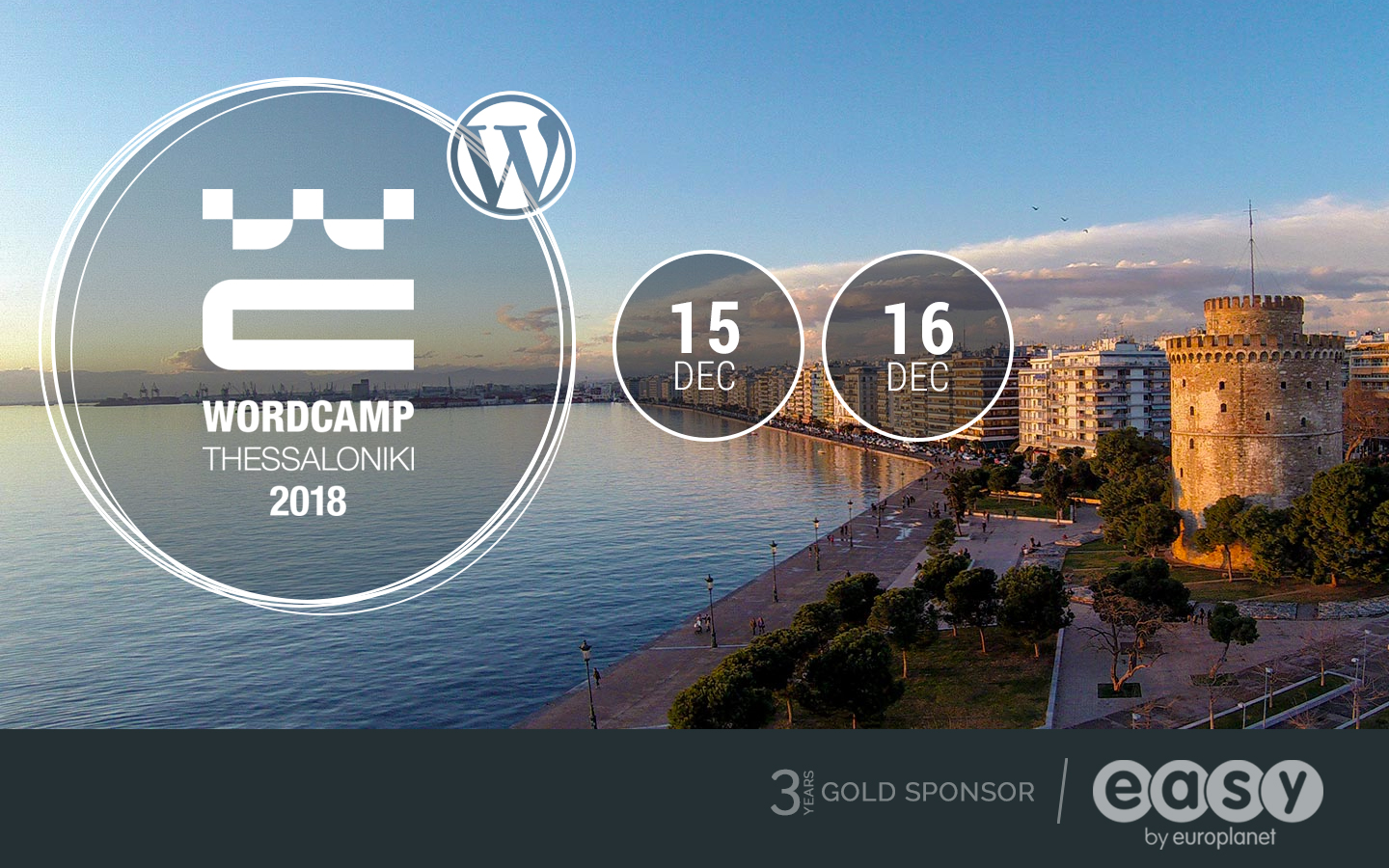
    Easy.gr Gold Sponsor at WordCamp Thessaloniki 2018

    Join us at WordCamp Thessaloniki

    We’re Gold Sponsors at WordCamp Thessaloniki 2018 — Easy.gr Gold Sponsor at Wordcamp thessaloniki 2018

    We’re proud to be participating again as a Gold sponsor at WordCamp Thessaloniki 2018. For the third consecutive year our team will be in Thessaloniki on 15 and 16 December — we’d love to meet you there.

    Event details

    What: WordCamp Thessaloniki 2018
    When: 15 & 16 December 2018
    Where: Thessaloniki
    More info: Official event site

    What is WordPress

    WordPress is a free, open source content management system and the most widely used publishing platform on the web. It lets you create, publish and manage all kinds of content — from a personal blog to a high-end professional website — with minimal technical training. Hundreds of themes and plugins help you shape the look and functionality of your site, while developers can extend WordPress through APIs. A large global community keeps templates, plugins and resources growing all the time.

    What is WordCamp

    WordCamps are community-organised conferences that focus on WordPress and adjacent topics. They are supported by the WordPress Foundation and cover a broad range of sessions: development, design, content strategy, e-commerce, blogging and more. WordCamps are hands-on events where users, creators and professionals meet, learn and exchange practical knowledge.

    Who should attend

    WordCamp is for anyone who uses or works with WordPress: web developers, designers, bloggers, journalists, content editors, social media managers and site owners. If you want to learn practical tips, meet experts, or get inspired about web publishing and online presence, you'll find sessions that match your level and interests.

    Why we support WordCamp

    Supporting WordCamp is our way of investing in the local and global WordPress ecosystem. These gatherings bring together the people who build and run websites every day — from hobbyists to agencies — and they spark collaborations that improve the web for everyone. As a Gold sponsor, we’re looking forward to meeting users, answering questions about hosting and performance, and sharing what we’ve learned working with WordPress sites.

    See you in Thessaloniki

    If you’re attending WordCamp Thessaloniki 2018, stop by our stand and say hello. Whether you want to discuss hosting resources, site performance, backups or the practicalities of running a WordPress site, our team will be there to help and to learn from the community.

  • Cyber Monday: 50% Off Domains, Hosting and Websites at easy.gr

    Cyber Monday: 50% Off Domains, Hosting and Websites at easy.gr

    Cyber Monday is back — and easy.gr goes half-price

    Cyber Monday is the Monday after Black Friday that has become synonymous with online-only deals. This year easy.gr brings back a deep discount across domains, hosting and website services: a genuine 50% off selected services when you use the coupon code provided.

    Key offer

    Use coupon cyber2018 to get 50% off selected new purchases at easy.gr. Highlights from the announcement:

    • .gr domains from €4.50/year (with coupon)
    • VPS hosting from €5.50/month
    • Managed WordPress hosting from €5.00/month including 160+ ready site templates

    Note: the promotion applies only to new purchases (not renewals or upgrades). Prices above do not include 24% VAT.

    What’s included and how it works

    The Cyber Monday sale covers domain registration, hosting (including VPS) and managed website services. The discount is applied at checkout when you enter the couponcyber2018. Important points:

    • The offer is valid for new purchases only — renewals and upgrades are excluded.
    • Listed prices exclude Greece’s 24% VAT.
    • The promotion focuses on core online services: domain registration, hosting resources (VPS) and Managed WordPress sites with pre-built templates.

    Examples mentioned in the announcement

    • .gr domain registration priced at €4.50/year with the coupon.
    • Independent VPS hosting from €5.50/month with the coupon.
    • Managed WordPress hosting (includes 160+ ready site designs) from €5.00/month with the coupon.

    Who should consider this sale

    This offer is useful for several groups:

    • New website owners who need to register a.gr domain and get hosting in one go.
    • Small businesses or freelancers launching a site and looking for budget-friendly Managed WordPress plans with templates.
    • Developers or agencies provisioning new VPS instances for client projects.

    Tips before you buy

    • Confirm that the price shown at checkout reflects the 50% coupon deduction and double-check that VAT is applied correctly afterward.
    • Remember the offer excludes renewals and upgrades — it’s intended for new purchases only.
    • Compare included features (disk, bandwidth, email, backup options, control panel) to ensure the chosen plan meets your needs — price alone doesn’t tell the whole story.
    • If you manage multiple sites, review Managed WordPress capabilities (staging, backups, updates) before committing.

    Conclusion

    If you were waiting for an occasion to register a.gr domain, launch a site or spin up a VPS, this Cyber Monday promotion from easy.gr offers steep short-term savings. Apply couponcyber2018at checkout for 50% off eligible new purchases, but check the final price for VAT and remember renewals and upgrades are not included.

    Ready to shop?

    Visit easy.gr and enter the coupon at checkout to see the discounted prices and available plans.

  • Easy.gr Returns as Gold Sponsor for WordCamp Athens 2017

    Easy.gr Returns as Gold Sponsor for WordCamp Athens 2017

    WordCamp Athens 2017 - Easy.gr Gold Sponsor

    Easy.gr: Gold Sponsor of WordCamp Athens 2017

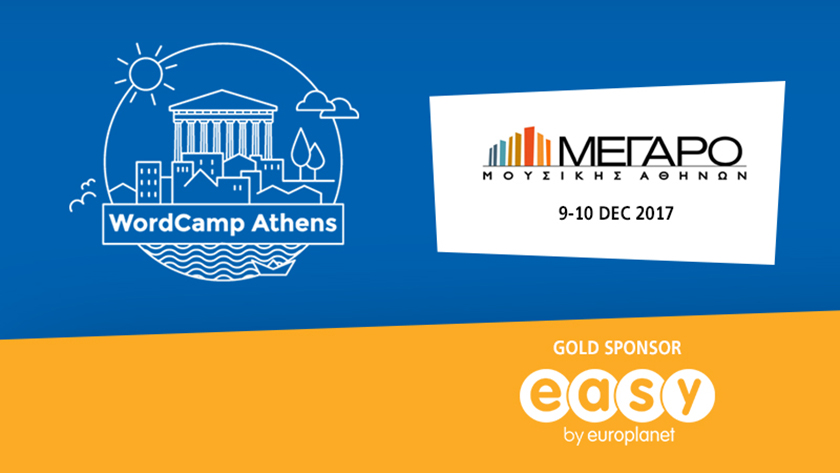
    We’re excited to support the WordPress community as a Gold sponsor for the second consecutive WordCamp Athens. Last year’s meetup took place at Technopolis in Gazi; this edition is held at the Megaro Mousikis.

    Why we support WordPress

    Easy.gr Returns as Gold Sponsor for WordCamp Athens 2017 — Gold Sponsor easy.gr

    WordPress is a free, open‑source content management system and the most widely used publishing platform on the web. It lets site owners publish, update and manage content without deep technical knowledge, while also offering APIs and extensibility for developers. With hundreds of themes and plugins and a large community contributing templates and tools, WordPress scales from simple personal blogs to complex professional sites.

    What is WordCamp?

    WordCamps are community‑organized conferences that focus on WordPress and the broader web ecosystem. Supported globally by the WordPress Foundation, WordCamps bring together talks and workshops on topics such as startups, e‑commerce, blogging and more. Around 40% of the sites you encounter daily are built on WordPress, which helps explain the growing interest and attendance in events like WordCamp Athens.

    Who should attend WordCamp Athens

    WordCamp Athens is aimed at anyone interested in WordPress and the web — from beginners to experienced professionals. Typical attendees include:

    • Web developers and designers
    • Bloggers and journalists
    • Content editors and site administrators
    • Social media managers and digital marketers
    • Business owners and e‑commerce teams

    What to expect from the program

    Sessions at WordCamps usually cover a mix of practical and strategic topics. Examples of common themes:

    • Technical talks on development, APIs and performance
    • E‑commerce best practices and case studies
    • Content strategy, blogging and editorial workflow
    • Business and startup advice tied to WordPress sites
    • Workshops and community networking

    Event details and where to learn more

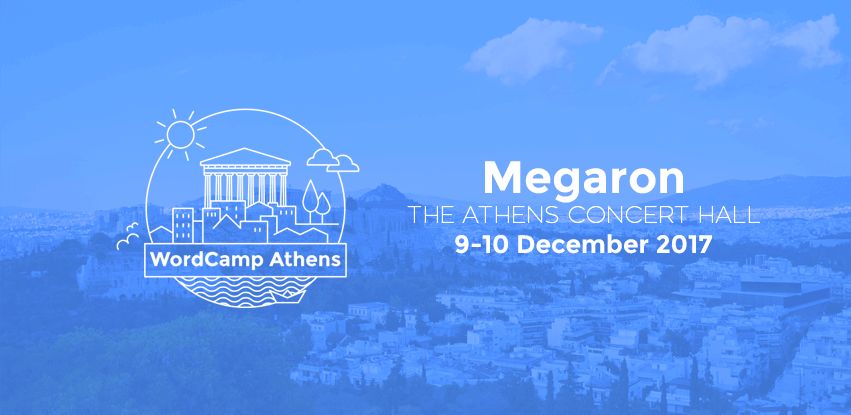
    This edition of WordCamp Athens takes place at the Megaro Mousikis. For full information about speakers, schedule and tickets, visit the event site:WordCamp Athens 2017. You can also learn more about the WordPress project atwordpress.org.

    Why attending matters

    Whether you’re building sites on WordPress, managing content, or working in digital services, WordCamp Athens is a practical chance to:

    • Learn from peers and experienced speakers
    • Find solutions and inspiration for real projects
    • Connect with the local WordPress community
    • Explore the ecosystem of themes, plugins and tools

    Conclusion

    Easy.gr is proud to support the WordPress community as a Gold sponsor of WordCamp Athens 2017. If you work with WordPress or are curious about building a better web presence, this event is a great opportunity to learn, network and get involved. Check the official WordCamp Athens site for the latest updates and registration information.