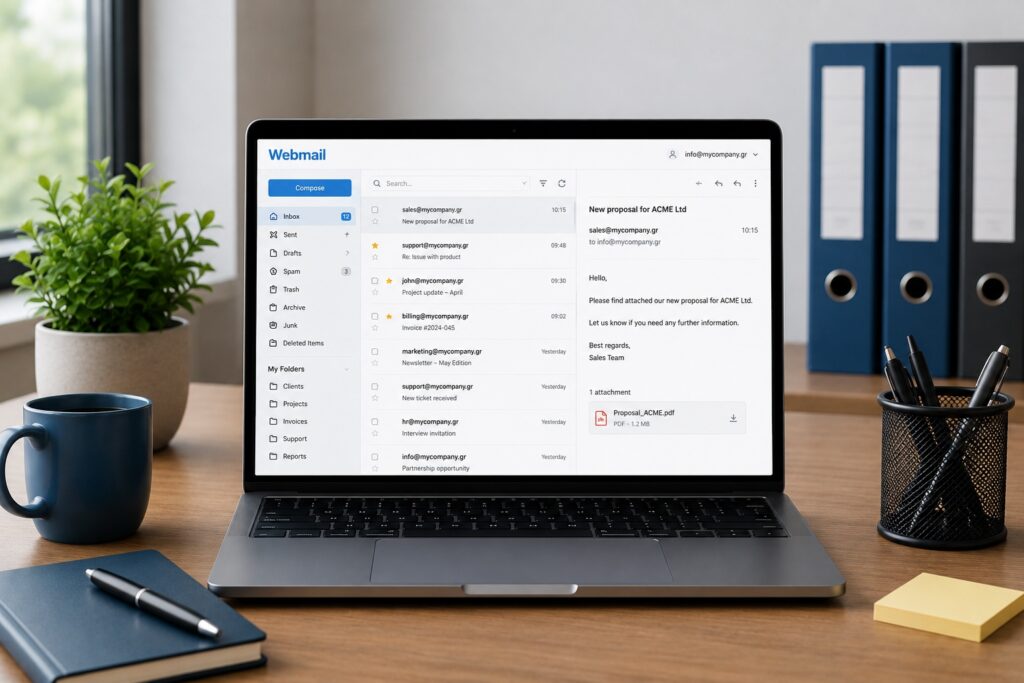
As a business grows, email can quickly become messy. Organizing business mailboxes properly is not only about keeping things tidy. It affects customer support, security and everyday productivity.
In this guide, we’ll look at how to structure business email for a small or growing company and which mistakes you should avoid.
Use different mailboxes for sales, support, billing and management.
Your business should rely on company email addresses, not personal employee accounts.
A clear mailbox structure allows your team to grow without losing important information.
Why Mailbox Organization Matters
Email is one of the core communication tools of every business. Quotes, customer requests, invoices, partnerships, orders and internal discussions all pass through it.
When everything ends up in one generic mailbox, or when employees use personal email accounts for company communication, information is easily lost. A message may remain unanswered, the wrong reply may be sent, or the history of a conversation may disappear.
A clear mailbox structure is not a luxury. It helps the business work more clearly, more quickly and more professionally.
Start with Business Roles
The best starting point is to organize email around business functions, not only around individual names.
This helps customers know where to send their request and helps your team understand who is responsible for each communication flow.
If everything goes to info@, it may look simple at first. As message volume grows, however, it becomes harder to separate sales, support, billing and urgent customer requests.
When Should You Use Personal Mailboxes?
Personal business mailboxes still have a place inside a company. Addresses such as maria@mybrand.com or john@mybrand.com are useful for direct professional communication.
They should not, however, become the main public addresses for critical business functions. If all sales requests go to one employee and that person is unavailable, changes role or leaves the company, continuity is lost.
Public business functions should remain connected to role-based addresses such as sales@, support@ and billing@.
Shared Mailbox or Separate Account?
A shared mailbox is useful when more than one person needs to view and reply to the same stream of communication. For example, support@ may be handled by the entire support team.
A separate mailbox is more appropriate when communication is personal or belongs to a specific role with restricted access, such as management, accounting or HR.
Aliases Are Your Friend
Not every address needs to be a separate mailbox. In many cases, an alias is enough.
For example, you can have:
and route all of them to info@mybrand.com.
This lets you keep several easy public-facing addresses without creating dozens of separate mailboxes that need to be checked, secured and maintained individually.
Do Not Use One Mailbox for Everything
The classic mistake is sending everything through info@: quotes, technical support, CVs, orders, billing questions and general enquiries.
This can work only at the very beginning. Later, it creates delays, wrong priorities and missed messages.
The solution is not to create endless mailboxes. The solution is to build clear communication flows for the main functions of your business.
Use Folders and Rules
Even the right mailbox can become chaotic without folders, filters and rules.
Rules can automatically move messages, flag important senders or separate system notifications from real customer requests.
The goal is not to hide emails. The goal is to find what you need quickly.
Be Careful with Access Permissions
Not everyone should have access to everything. Mailbox access should be based on each person’s role inside the business.
This reduces the risk of mistakes, protects sensitive information and gives you better control over internal communication.
Backup and Security
Business mailboxes often contain critical information: contracts, quotations, invoices, customer data and internal decisions. It is not enough for them to exist. They need to be protected.
Strong passwords, MFA where available, properly configured SPF, DKIM and DMARC, careful access management and a reliable backup or retention policy are essential.
Email is a key part of business continuity. If access is lost or important messages are deleted, the problem is not just technical. It becomes operational.
Common Mistakes
- Everything goes to info@: simple at first, unmanageable later.
- Using personal Gmail accounts for company work: poor branding, lower trust and loss of control.
- Using the same password across accounts: a serious security risk.
- No folder structure: makes searching and continuity harder.
- No backup or retention policy: one accidental delete can become a serious problem.
Frequently Asked Questions
Do I need a separate mailbox for every employee? Usually yes. It provides clear identity, better security and easier management.
Which is better, an alias or a new mailbox? Use an alias when you simply need another public address that routes to the same recipient. Use a separate mailbox when you need independent access and storage.
Should everyone have access to support@? Not necessarily. Access should be granted only to the team members who actually need it.
Conclusion
A well-organized email system does more than make daily work easier. It protects the business, improves customer support and allows the team to grow without creating communication chaos.
The right mailbox structure presents a more professional image externally and creates better order internally.
Want to organize your business email properly?
Easy can help you build a secure, scalable mailbox structure tailored to your team’s needs.
Learn more at Easy →