Tag: Email Hosting

  • How to organize business mailboxes

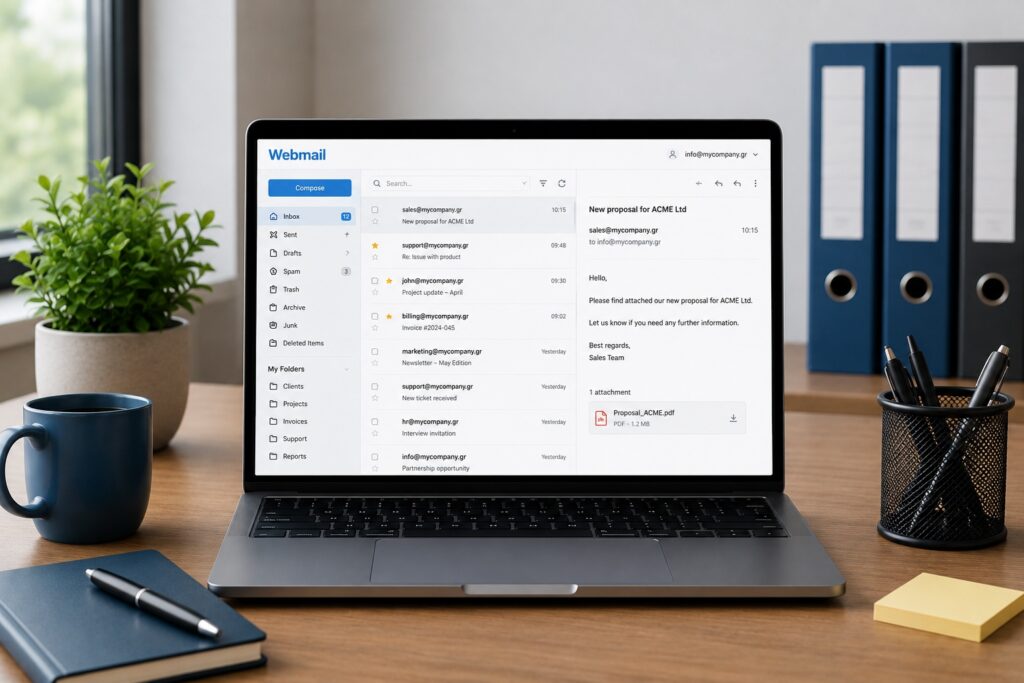
    Laptop showing a webmail interface in a professional office, with organized mailboxes, folders and business email accounts.

    Why Mailbox Organization Matters

    Email is one of the core communication tools of every business. Quotes, customer requests, invoices, partnerships, orders and internal discussions all pass through it.

    When everything ends up in one generic mailbox, or when employees use personal email accounts for company communication, information is easily lost. A message may remain unanswered, the wrong reply may be sent, or the history of a conversation may disappear.

    A clear mailbox structure is not a luxury. It helps the business work more clearly, more quickly and more professionally.

    Start with Business Roles

    The best starting point is to organize email around business functions, not only around individual names.

    info@mybrand.com
    sales@mybrand.com
    support@mybrand.com
    billing@mybrand.com
    hr@mybrand.com
    marketing@mybrand.com

    This helps customers know where to send their request and helps your team understand who is responsible for each communication flow.

    If everything goes to info@, it may look simple at first. As message volume grows, however, it becomes harder to separate sales, support, billing and urgent customer requests.

    When Should You Use Personal Mailboxes?

    Personal business mailboxes still have a place inside a company. Addresses such as maria@mybrand.com or john@mybrand.com are useful for direct professional communication.

    They should not, however, become the main public addresses for critical business functions. If all sales requests go to one employee and that person is unavailable, changes role or leaves the company, continuity is lost.

    Public business functions should remain connected to role-based addresses such as sales@, support@ and billing@.

    Shared Mailbox or Separate Account?

    A shared mailbox is useful when more than one person needs to view and reply to the same stream of communication. For example, support@ may be handled by the entire support team.

    A separate mailbox is more appropriate when communication is personal or belongs to a specific role with restricted access, such as management, accounting or HR.

    Rule of thumb: When communication belongs to a company function, use a role-based mailbox. When it belongs to a specific person, use a personal mailbox.

    Aliases Are Your Friend

    Not every address needs to be a separate mailbox. In many cases, an alias is enough.

    For example, you can have:

    contact@mybrand.com
    hello@mybrand.com
    office@mybrand.com

    and route all of them to info@mybrand.com.

    This lets you keep several easy public-facing addresses without creating dozens of separate mailboxes that need to be checked, secured and maintained individually.

    Do Not Use One Mailbox for Everything

    The classic mistake is sending everything through info@: quotes, technical support, CVs, orders, billing questions and general enquiries.

    This can work only at the very beginning. Later, it creates delays, wrong priorities and missed messages.

    The solution is not to create endless mailboxes. The solution is to build clear communication flows for the main functions of your business.

    Use Folders and Rules

    Even the right mailbox can become chaotic without folders, filters and rules.

    Quotes
    Customers
    Invoices
    Support
    Pending
    Completed

    Rules can automatically move messages, flag important senders or separate system notifications from real customer requests.

    The goal is not to hide emails. The goal is to find what you need quickly.

    Be Careful with Access Permissions

    Not everyone should have access to everything. Mailbox access should be based on each person’s role inside the business.

    billing@ → accounting team
    hr@ → HR or management
    support@ → support team
    sales@ → sales team

    This reduces the risk of mistakes, protects sensitive information and gives you better control over internal communication.

    Backup and Security

    Business mailboxes often contain critical information: contracts, quotations, invoices, customer data and internal decisions. It is not enough for them to exist. They need to be protected.

    Strong passwords, MFA where available, properly configured SPF, DKIM and DMARC, careful access management and a reliable backup or retention policy are essential.

    Email is a key part of business continuity. If access is lost or important messages are deleted, the problem is not just technical. It becomes operational.

    Common Mistakes

    1. Everything goes to info@: simple at first, unmanageable later.
    2. Using personal Gmail accounts for company work: poor branding, lower trust and loss of control.
    3. Using the same password across accounts: a serious security risk.
    4. No folder structure: makes searching and continuity harder.
    5. No backup or retention policy: one accidental delete can become a serious problem.

    Frequently Asked Questions

    Do I need a separate mailbox for every employee? Usually yes. It provides clear identity, better security and easier management.

    Which is better, an alias or a new mailbox? Use an alias when you simply need another public address that routes to the same recipient. Use a separate mailbox when you need independent access and storage.

    Should everyone have access to support@? Not necessarily. Access should be granted only to the team members who actually need it.

    Conclusion

    A well-organized email system does more than make daily work easier. It protects the business, improves customer support and allows the team to grow without creating communication chaos.

    The right mailbox structure presents a more professional image externally and creates better order internally.

    Want to organize your business email properly?

    Easy can help you build a secure, scalable mailbox structure tailored to your team’s needs.

    Learn more at Easy →

  • Gmail or professional email?

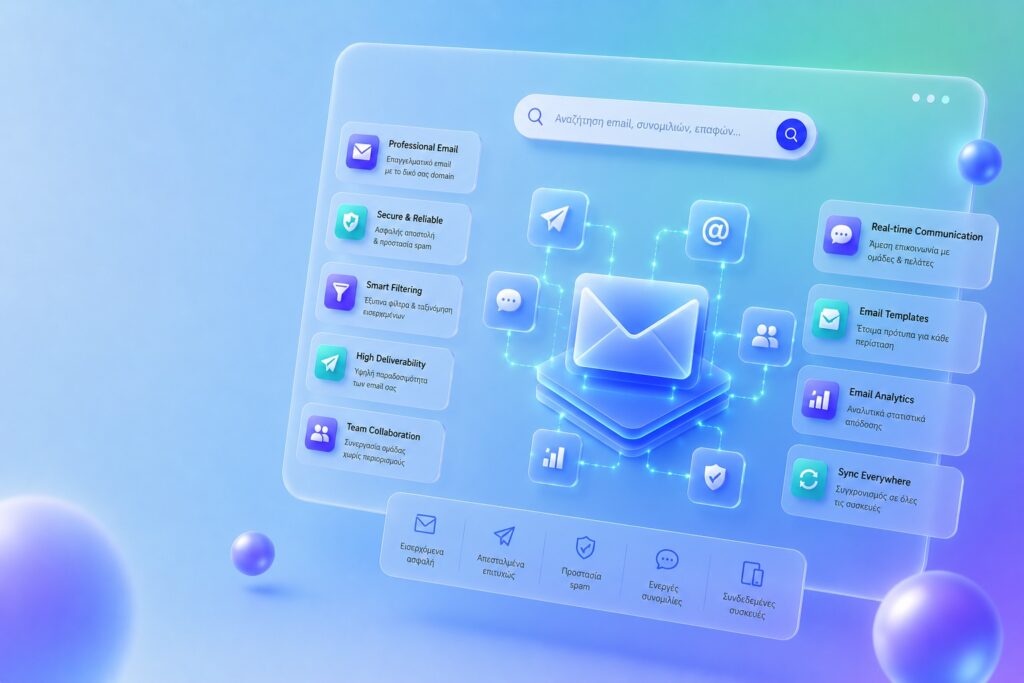
    Gmail and professional business email on a custom domain for secure business communication

    Which One Inspires More Trust?

    When starting a new business, one of the first things you’ll need is an email address.

    And that’s when the question comes up:

    Should I use Gmail or create a professional email address on my own domain?

    Technically, both can send and receive email.

    In practice, however, they create a very different impression.

    What Counts as Gmail?

    When we say Gmail, we usually mean addresses such as:

    mybusiness@gmail.com
    example.company@gmail.com

    Gmail is fast, reliable and free.

    For personal use, it remains one of the best email services available.

    What Is a Professional Email Address?

    A professional email address uses your own domain name.

    For example:

    info@mybusiness.com
    sales@mybusiness.com
    support@mybusiness.com

    In this case, your email isn’t tied to a generic platform.

    It belongs to your brand.

    What Does Your Customer Actually See?

    Imagine you receive two emails.

    The first one comes from:

    bestinsurance.company@gmail.com

    The second one comes from:

    info@bestinsurance.com

    Which one looks more professional?

    Most people would choose the second.

    Not because it’s technically superior.

    But because it shows that the business has invested in its professional presence.

    First Impressions Matter

    In many cases, your customer hasn’t visited your website yet.

    They don’t know your business. They haven’t bought anything. They haven’t formed an opinion.

    Your email is often their very first interaction with your brand.

    And first impressions matter.

    A professional email address helps build trust—especially when sending quotations, communicating with suppliers, receiving orders, issuing invoices or working with other businesses.

    The Biggest Advantage Most People Overlook

    Most people think the biggest benefit of a professional email address is appearance.

    That’s only part of the story.

    The greatest advantage is ownership.

    Example

    If you’re using:

    mybusiness@gmail.com

    that address belongs to Google.

    If you’re using:

    info@mybusiness.com

    the address is tied to your own domain.

    You own the domain, so you control the email address as well.

    What Happens If You Change Providers?

    This is one of the biggest advantages of using your own domain.

    If you change your email provider, hosting company or IT partner tomorrow, the address:

    info@mybusiness.com

    stays exactly the same.

    Your customers continue contacting you without ever needing to learn a new email address.

    The Power of Consistency

    Well-established brands usually follow the same naming convention everywhere.

    For example:

    Website: mybusiness.com
    Email: info@mybusiness.com
    Support: support@mybusiness.com
    Sales: sales@mybusiness.com

    Everything clearly belongs to the same company.

    That consistency builds credibility.

    When Is Gmail Enough?

    There are situations where Gmail is a perfectly reasonable choice.

    • Personal use
    • Temporary projects
    • Testing and experimentation
    • Internal communication

    Not everyone needs a professional email address from day one.

    When Do You Need a Professional Email?

    In almost every case where you:

    • run a business
    • have a website
    • communicate with customers
    • send quotations
    • issue invoices
    • build a brand

    Quick Checklist

    If you answered “Yes” to more than two of the following, you probably need a professional email address:

    ✔ I run a business
    ✔ I have a website
    ✔ I communicate with customers
    ✔ I want to present a professional image
    ✔ I want to build a strong brand

    The Most Common Mistakes

    Using a Personal Email for Business

    Many small businesses continue using personal email addresses for years.

    It creates an unprofessional impression.

    Using Different Domains Everywhere

    For example:

    Website: mybusiness.com
    Email: mybusiness2024@gmail.com

    Inconsistency creates confusion.

    Creating Too Many Random Addresses

    The more organized your email structure is, the easier it becomes to manage.

    Is It More Secure?

    Not automatically.

    Security depends on your provider, your configuration, SPF, DKIM, DMARC and two-factor authentication (2FA).

    These settings directly affect both email deliverability and your sender reputation.

    Conclusion

    Gmail is an excellent service.

    For personal use, it’s hard to beat.

    But when it comes to business, a professional email address offers something far more valuable:

    Credibility, consistency, ownership and long-term value for your brand.

    Email is more than just a communication tool.

    It is part of your company’s identity.

    Ready to create a professional email on your own domain?

    Discover the email solution that best fits your business needs.

    Create Your Professional Email →
  • Why emails go to spam

    Illustration of an email being marked as spam because of sender reputation, poor content or missing SPF, DKIM and DMARC settings

    The Spam Folder Is Not Random

    When a business email ends up in the spam folder, the first reaction is often to blame the content. Were there too many promotional words, too many links, or a suspicious attachment?

    Those factors do matter. But in most serious cases, the real issue starts much deeper: whether the recipient’s mail server can trust that the email was genuinely sent by you.

    Every Email Needs an Identity

    An email is more than just a message. It is a communication sent from a domain to a recipient. Before a mail server accepts it, it asks a few essential questions.

    • Is this server authorized to send email for this domain?
    • Has the message been altered during transit?
    • Is there a policy that explains what to do if authentication fails?

    This is where the three key technologies come into play: SPF, DKIM and DMARC.

    What Is SPF?

    SPF specifies which mail servers are authorized to send email on behalf of your domain.

    For example, if you use a professional email service from a hosting provider or cloud platform, your SPF record must authorize that provider to send email for your domain.

    In practice: If your SPF record is missing or incorrect, the receiving server may treat your email as coming from an unauthorized sender.

    What Is DKIM?

    DKIM works like a digital signature for your email. It allows receiving mail servers to verify that the message has not been modified and that it genuinely originates from the sender’s domain.

    Users never see it, but mail servers check it constantly. Without DKIM, your email loses an important layer of trust.

    What Is DMARC?

    DMARC tells receiving mail servers how to handle emails that fail SPF or DKIM authentication. It is the policy that ties the previous two technologies together.

    Without DMARC, your domain is more vulnerable to email spoofing—messages that appear to come from your business but were actually sent by someone else.

    Sender Reputation Matters

    Even when your technical configuration is correct, email providers also evaluate your sending reputation.

    • Are you suddenly sending a large volume of emails?
    • How many recipients open your messages?
    • How many delete them without reading?
    • How many mark them as spam?
    • Are you emailing old or purchased mailing lists?

    Sender reputation takes time to build and only moments to damage. That’s why newsletters and bulk email campaigns require careful management.

    Content Matters—But It Isn’t Everything

    Certain content can increase the likelihood of an email being filtered as spam. Excessive capital letters, aggressive sales language, too many links, suspicious attachments, or image-only emails are common examples.

    However, well-written content cannot compensate for a poorly configured domain. Likewise, a properly configured domain cannot save an email that resembles a phishing attempt or spam campaign.

    Gmail or a Professional Business Email?

    For personal communication, a Gmail account is perfectly adequate. For business, however, using a professional email address on your own domain builds trust and credibility.

    There is a significant difference between sending from a generic email address and sending from something like info@mybrand.com. The latter strengthens your brand identity—provided it is configured correctly.

    Checklist to Keep Your Emails Out of Spam

    ✔ Do you have a valid SPF record?
    ✔ Is DKIM signing enabled?
    ✔ Do you have a DMARC policy, even if it’s only in monitoring mode?
    ✔ Are you sending email through a trusted mail server?
    ✔ Do you avoid purchased mailing lists?
    ✔ Is your subject line clear and free of exaggerated wording?
    ✔ Are you avoiding excessive links and unnecessary attachments?
    ✔ Do you monitor bounce messages and delivery failures?

    The Most Common Mistakes

    1. Incorrect SPF: The wrong mail servers are authorized, or the actual sending provider is missing.
    2. Missing DKIM: Emails are sent without a valid digital signature.
    3. No DMARC policy: Your domain has no protection against spoofing attempts.
    4. Changing providers without updating DNS: Emails continue to appear as though they are being sent from an outdated or incorrect infrastructure.
    5. Sending bulk campaigns from a regular mailbox: A business mailbox is not the same as a dedicated email marketing platform.

    Conclusion

    If your emails are landing in spam, don’t start by blaming the content. Start by checking your domain’s email authentication.

    SPF, DKIM and DMARC are not just technical settings for IT professionals. They are essential trust signals for any business that relies on professional email communication.

    Want to check whether your email setup is properly configured?

    Use Easy’s Email Trust Check to verify that your domain has valid SPF, DKIM and DMARC records.

    Check Your Email Trust