Tag: Easy Control

  • easy.gr Now Accepts Viva Wallet — Pay with Your Greek e‑Wallet

    easy.gr Now Accepts Viva Wallet — Pay with Your Greek e‑Wallet

    Pay with Viva Wallet at easy.gr

    easy.gr has added a new payment method: Viva Wallet, Greece’s electronic wallet solution. From now on you can choose Viva Wallet at the final step of the checkout and complete payments for any easy.gr service or product just like other payment options you’re used to.

    Quick note

    Where you’ll find it: Viva Wallet appears among the available payment methods in the last step of your cart. Select Viva Wallet and your purchase will be completed.

    What is Viva Wallet?

    Viva Wallet is an electronic wallet where you can store money securely and use it to pay online. You can load funds into your Viva Wallet and use them for purchases, bill payments, or transferring money to other users or bank accounts at organisations that accept Viva Wallet.

    How to pay with Viva Wallet on easy.gr

    1. Create your Viva Wallet account if you don’t already have one — visit vivawallet.com.
    2. Top up your Viva Wallet with the amount you need.
    3. On easy.gr, choose the products or services you want and go to checkout.
    4. At the final step of the order, select Viva Wallet as your payment method.
    5. Confirm the payment — once completed, your order on easy.gr is finalised.

    Why this matters

    • Convenience: If you already use Viva Wallet, you can check out quickly without entering card details each time.
    • Control: You decide the wallet balance and spend only what you load into it.
    • Local innovation: Viva Wallet is a Greek fintech service, now supported by easy.gr alongside existing payment options.

    Want to learn more?

    For full details about Viva Wallet — how to register, top up, and use features — visit the official Viva Wallet website atvivawallet.com.

    Conclusion

    Adding Viva Wallet gives easy.gr customers another secure and convenient way to pay. If you prefer using an e‑wallet, set up Viva Wallet and use it at checkout to complete purchases in a few simple steps.
  • Global Landline Telephony in Your Control Panel — Calls from €0.01/min

    Global Landline Telephony in Your Control Panel — Calls from €0.01/min

    easy.gr control panel telephony

    Intro: phone infrastructure, simplified

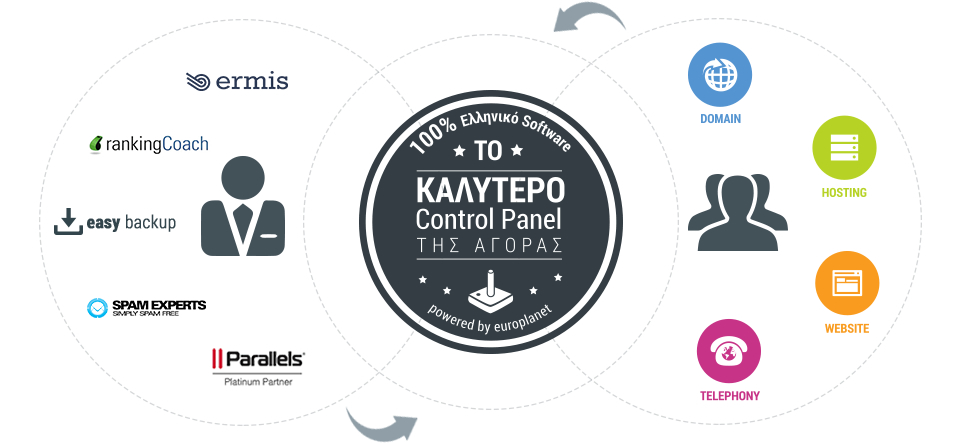
    easy.gr’s control panel has always aimed to bring web infrastructure into one place. Now it adds global fixed-line telephony: a single dashboard where you can buy local numbers in dozens of countries and cities, connect handsets or your PBX, and start calling and receiving calls without roaming fees or long-term contracts.

    What you can do from the control panel

    • Purchase local fixed-line numbers in many countries and cities around the world.
    • Connect any number of telephone devices or integrate your existing PBX into the chosen number.
    • Make outbound calls and accept inbound calls without roaming; no subscription or contract required.
    • Use built-in IVR with ready messages in 10 languages (including Greek) for automatic routing.
    • Scale concurrent call capacity on a per-number basis (see below for details).
    • Check call quality and billing details directly in the same control panel where you manage domains, hosting and other services.

    Pricing and calling

    The service advertises calls from €0.01 per minute. For full pricing and available plans, check the telephony page linked at the end of the article to see country-by-country rates and any additional fees.

    How concurrent calls and additional numbers work

    Each phone number can receive multiple simultaneous calls. The control panel supports scaling that capacity per number: the default example states a single number can receive up to 30 concurrent calls. If you add a second number, the combined capacity increases (the example notes 60 simultaneous calls when two numbers are in use). This makes the system suitable for small contact centers and businesses that need predictable parallel call handling without complex telephony hardware.

    Typical use cases

    • Small businesses that want local numbers in multiple markets without physical presence.
    • Remote teams taking customer calls from anywhere, with no roaming charges.
    • Companies that want a simple PBX integration and IVR flows in multiple languages.
    • Projects that need predictable per-minute billing rather than monthly subscriptions.

    IVR, languages and call routing

    If recording messages or arranging translators takes too much time, the built-in IVR provides pre-recorded messages in 10 languages — including Greek — so incoming calls are routed automatically and consistently. This reduces setup friction and helps ensure callers reach the right person or department without manual intervention.

    Why this matters for businesses

    Consolidating telephony into the same control panel you use for domains, hosting and email reduces administrative overhead and speeds up onboarding. For businesses expanding internationally, local numbers improve local trust and accessibility while low per-minute rates and no roaming or long contracts keep costs predictable.

    Try it and get help

    The best way to understand call quality and features is to try the service. If you need guidance on setup, number selection, PBX integration or IVR configuration, easy.gr’s team is available to assist.

    Ready to add global numbers?

    Visit the Telephony page to browse available local numbers, view all charges and start a trial from the same easy.gr control panel where you manage your other services.

  • Become Our Partner — Integrate Your Internet Service with easy.gr

    Become Our Partner — Integrate Your Internet Service with easy.gr

    Bring your internet service to thousands of users

    Have an idea or an internet service and want it available inside a popular control panel used by thousands of easy.gr customers? Whether you already have your own API or you need technical help to build one, easy.gr invites you to partner with us. Join what the source describes as the largest and fastest-growing unified internet services management system and let your idea reach the audience it deserves.

    Who this is for

    • Developers and companies with API‑driven internet services who want direct distribution to end users.
    • Teams or creators with a service concept that needs integration and exposure through an established control panel.
    • Partners who prefer to focus on their product while relying on easy.gr for distribution and platform integration.

    How integration works

    Integration is straightforward and flexible:

    1. If you have an API: we can connect your existing API to our control panel so users can discover and use your service directly from easy.gr.
    2. If you need help: if you don’t yet have an API, our team can assist in building the interface needed to integrate your service into the panel.
    3. Go live: once integrated, your service becomes discoverable to easy.gr’s user base through the unified management interface.

    Typical steps we follow

    • Initial contact and concept review.
    • Technical assessment: API requirements and integration plan.
    • Implementation: connect the API or build the necessary endpoints with our support.
    • Testing and rollout inside the control panel.

    Why partner with easy.gr

    • Access: integrate directly into a platform used by thousands of customers.
    • Simplicity: users manage services from a single control panel, lowering friction and improving adoption.
    • Support: you can bring a ready API or ask for development help to make integration smoother.
    • Visibility: your service gains placement inside an expanding unified services ecosystem.

    Ready to get started?

    If you want your service inside the easy.gr control panel, reach out and tell us about your idea. Whether you already have an API or need our help to build one, we’ll review the opportunity and guide you through the integration process.

    Conclusion

    Integrating with easy.gr is an opportunity to bring your internet product to a broad audience without building your own user-facing portal. If your idea or service can be delivered via an API — or you’d like our help to create one — consider partnering with easy.gr to give your solution the exposure and management it deserves.

  • Now Accepting Bitcoin: Pay at easy.gr with Your Crypto Wallet

    Now Accepting Bitcoin: Pay at easy.gr with Your Crypto Wallet

    Bitcoin and easy.gr checkout

    Bitcoin payments are now available at easy.gr

    Now Accepting Bitcoin: Pay at easy.gr with Your Crypto Wallet — bitcoin-screenshot

    bitcoin accepted here!The services and payment options ateasy.grkeep evolving. Following global market trends and customer demand, we now let you complete purchases and transactions on easy.gr usingBitcoin. This new payment option appears at the final stage of the checkout alongside the other familiar methods you already use.

    What is Bitcoin?

    Bitcoinis a digital currency created and maintained electronically. Bitcoins are not printed like banknotes; they exist as digital units and can be used as a method of payment to buy products and services. Many businesses around the world accept Bitcoin, and it has an exchange value that makes it usable in commerce.

    How to pay with Bitcoin on easy.gr

    1. Make sure you have a Bitcoin wallet with funds held by a wallet provider or service of your choice.
    2. Add the services you want to the cart on easy.gr and proceed to checkout.
    3. At the last stage of the checkout, select Bitcoin as your payment method.
    4. Follow the payment instructions shown to complete the transaction from your wallet.

    Quick checklist before paying with Bitcoin

    • You need an existing Bitcoin wallet with sufficient balance.
    • Confirm the payment details carefully when prompted at checkout.
    • Bitcoin transfers may have variable confirmation times depending on network conditions.
    • For general information about Bitcoin, visit the official resource at bitcoin.org.

    Want to try it now?

    If you already use Bitcoin, simply choose it during checkout on easy.gr and complete your purchase. For more information about how Bitcoin works, see bitcoin.org.

    Final notes

    Adding Bitcoin as a payment option is part of our effort to offer flexible, modern payment methods that match how customers choose to pay. If you have questions about payments at easy.gr, our support team is ready to help.

  • Become a Domains & Hosting Reseller with Our WHMCS Module

    Become a Domains & Hosting Reseller with Our WHMCS Module

    Introduction

    If you run an online business and want your customers to register domain names or buy hosting directly through your website, we built a reseller solution to make that simple. After a year of development and legal review, our WHMCS module links your shop with the easy.gr platform so you can sell domains and hosting under your own brand while keeping access to the platform’s services and discounts.

    What the WHMCS module does

    The module provides a complete flow for domain registration and management inside WHMCS while remaining fully compatible with your easy.gr account. Key features include:

    • Support for all active TLDs available on easy.gr, including the latest gTLDs (for example.BAR,.BIKE,.GALLERY,.DOMAINS,.HOSTING).
    • Bi-directional integration: manage domains from your WHMCS storefront or directly from easy.gr without losing access to included free services.
    • White-label behaviour: your customers transact on your website; easy.gr branding is not exposed in sales documents (except where required by official registry communications for.GR).
    • Automated billing using the credits in your easy.gr account — domain purchases deduct from your account’s credits immediately.
    • Free distribution: the WHMCS module is provided at no cost to resellers.

    Compliance with.GR rules and EETT

    The module was developed after a year of study and addresses legal and regulatory requirements related to.GR registrations. It implements the changes introduced by EETT that took effect on 01/11/2011 and aligns registry–registrar–registrant relationships accordingly. At the same time it supports the specifications required by other registries for.eu,.com and other gTLDs.

    Integration with easy.gr and white‑label control

    Special attention was given to integration with easy.gr’s dynamic control panel. The module works with your existing easy.gr account and leverages any volume discounts you already have (discounts can be up to 30% as applied on your account). The combined systems let you:

    • Sell hosting and domain services from your website (via WHMCS) while customers receive all standard included services for each domain.
    • Keep your branding visible—easy by Europlanet is not shown in your transactional documents, except where the official registry (for.GR) sends a copy of the registration email to the domain owner.

    What you need to get started

    • An active account at easy.gr — the module uses your existing account and credits.
    • A WHMCS installation where you can install modules and connect via the WHMCS API.
    • Access to the WHMCS API installation instructions in your easy.gr account (you’ll find setup documentation in the WHMCS API section of your dashboard).

    Benefits for your business

    1. Expand your product offering with domains and hosting without building registry integrations yourself.
    2. Preserve your brand front‑end while relying on easy.gr for registry compliance and service delivery.
    3. Automate billing and order fulfillment through WHMCS and your easy.gr credits.
    4. Access free additional services included with each domain registration—no third‑party logos or ads.
    5. Offer the same portfolio of TLDs that easy.gr supports, including new gTLDs.

    Installation, support and next steps

    The module is available for free. Installation guides and configuration details are located inside your easy.gr account under the WHMCS API section. If you need assistance at any step, an experienced partner from our team can guide you through setup and configuration.

    Ready to resell?

    To start: create or sign in to your easy.gr account, open the WHMCS API section to follow the installation instructions, and enable the module in your WHMCS installation. If you run into issues, contact our support team and a specialist will assist you through every step.

    Conclusion

    This WHMCS module removes the technical and regulatory friction of offering domains and hosting from your own storefront. It combines legal compliance for.GR, full support for gTLDs, white‑label selling and automated billing through your easy.gr credits—so you can grow your business and offer complete services to your customers with minimal effort.

  • The Easy Experience Doesn’t Stop at Registration

    The Easy Experience Doesn’t Stop at Registration

    Introduction

    Buying a domain is exciting, but a working, trustworthy online presence is built from a series of small, thoughtful steps that follow registration. Whether you’ve just secured a name or are reviewing accounts you already own, this guide walks through the practical actions that turn a domain into a live, manageable website and a reliable business asset.

    Quick note

    If you’ve just registered a domain:

    • Start by checking DNS and nameservers.
    • Decide where your site will be hosted and if you need email for the business.
    • Use your control panel to centralise management (domains, hosting, billing).

    What comes after domain registration

    Registration secures your name, but most tasks that make a website visible and secure happen afterwards. Here are the essential steps, in practical order.

    1. Configure DNS and nameservers

    DNS (Domain Name System) tells the internet where your site and services live. Pointing nameservers to your hosting provider or updating A, CNAME and MX records is the first technical step to make a website and email work. If you’re unsure, most control panels include guided DNS editors or support documentation.

    2. Choose and connect hosting resources

    Your hosting plan determines performance, storage, and how many visitors your site can handle. Choose resources that match your site’s needs (static pages, CMS like WordPress, or an online store) and connect the domain to that hosting account following provider instructions.

    3. Set up business email

    Professional email (name@yourdomain) helps credibility. Configure MX records and follow best practices for IMAP/SMTP configuration. Add authentication records such as SPF, DKIM and DMARC to improve deliverability and reduce the risk of messages landing in spam.

    4. Secure your site

    Use an SSL certificate to enable HTTPS; many providers offer easy installation. Consider additional security measures like regular backups, two-factor authentication for accounts, and a web application firewall for sites that use CMS platforms.

    5. Plan renewals and transfers

    Keep track of renewal dates to avoid losing your domain. If you plan to move a domain to another registrar, familiarise yourself with the transfer process and required authorization codes well before expiry to prevent service interruption.

    Useful checks and optimisations

    • WHOIS and privacy: Verify contact details and enable privacy options if you want to keep registrant information private.
    • Domain forwarding: Use forwarding if you have multiple domains that should point to the same site or landing page.
    • Backups: Implement automatic website backups and test restores periodically.
    • Performance: Use caching, a CDN and right-sized hosting resources to keep pages fast for visitors.
    • SEO basics: Submit a sitemap, use descriptive titles and meta descriptions, and ensure pages are indexable.

    Managing everything in one place

    Centralised management makes life easier: consolidate domain renewal, DNS, hosting resources and billing in a single control panel when possible. That reduces administrative overhead and lowers the chance of missing important notices about renewals or security updates.

    When to ask for help

    Reach out to support if you encounter DNS propagation issues, email delivery problems, or need help connecting hosting and SSL. Good support can walk you through technical steps, or perform them on your behalf when you provide the necessary access and authorisations.

    Conclusion

    Owning a domain is the beginning of a continuous process. From DNS and hosting to email and renewals, each step improves reliability, visibility and trust. By following these practical actions and centralising management, you turn a name on the internet into a resilient and effective digital presence.

  • Our New easy.gr Is Live — same services, smarter platform

    Our New easy.gr Is Live — same services, smarter platform

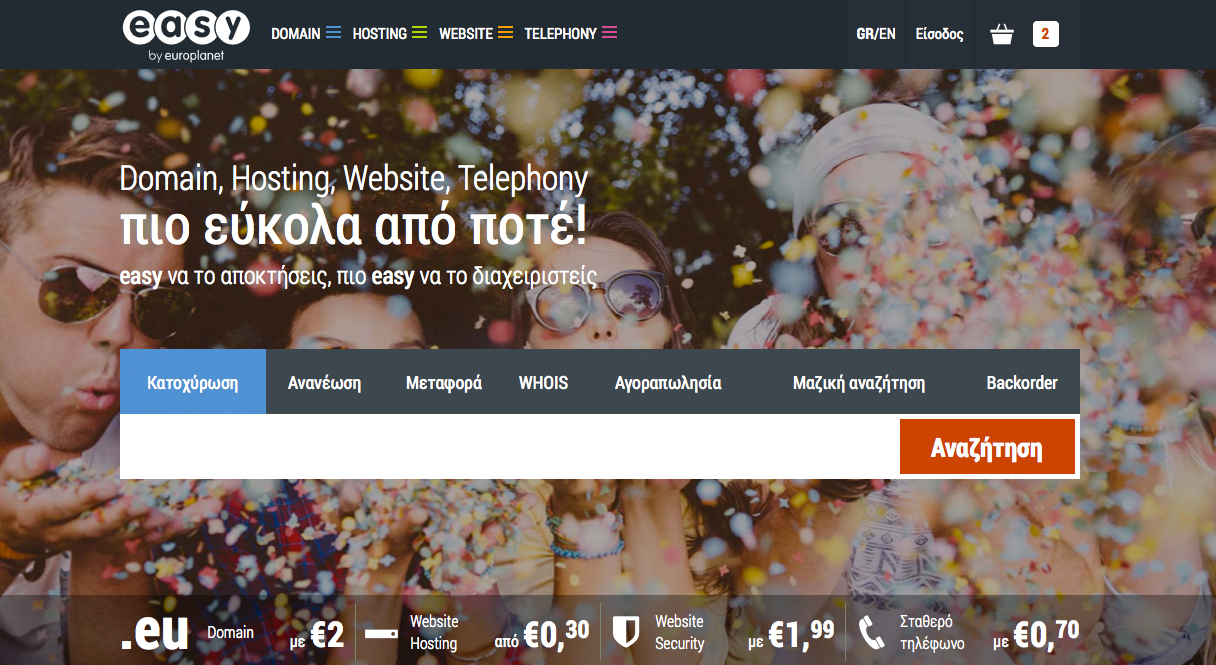
    easy.gr new platform screenshot

    Welcome to the new easy.gr

    From Monday 17/11 our redesigned site easy.gr is live. It brings all our services together through an improved, user-friendly Control Panel — and all your data has already been migrated securely. Read on for a quick guide to what changed and what to do next.

    What changed and why it matters

    The main change is a single, upgraded platform that consolidates our services and puts them inside a more advanced and easier-to-use Control Panel. The goal is to make routine tasks faster and reduce friction so you can focus on what matters: your website and business.

    What we moved

    • All account data and settings were migrated to the new platform.
    • Service access is now unified via the new Control Panel.
    • Data transfer was completed securely — you don’t need to take action to move your existing information.

    How this affects you

    • Login with your usual credentials and explore the new Control Panel interface.
    • You should find the same services available, now organized in one place for convenience.
    • Routine tasks may feel faster thanks to the redesigned workflow.

    Quick checklist — what to do next

    1. Log in and familiarise yourself: Sign into easy.gr and take a tour of the Control Panel. Update any bookmarks if needed.
    2. Check your services: Open your hosting, domains or email sections and confirm your settings look correct.
    3. Test critical functionality: Visit your website, send/receive a test email, or access webmail to make sure everything is working as expected.
    4. Update contact preferences: Review your profile and contact details so notifications reach you.

    If you find problems

    Although the migration was completed successfully and securely, small issues can happen. If you notice any problem or unexpected behaviour, please let us know immediately so we can investigate and fix it.

    • Report anything unusual through our usual support channels.
    • Include screenshots and steps to reproduce the issue when possible — it helps us resolve things faster.

    Final note

    Welcome to the new easy.gr — a more streamlined platform designed to make your life easier. All your data has already been moved safely; now it’s time to explore the new Control Panel and enjoy the updated experience. If you need help, our support team is ready to assist.