Category: Business

  • How to start an e-shop correctly

    Modern online store displayed on a laptop with products, shopping cart, payments, shipping and transaction security.

    An Online Store Is a Business, Not Just a Website

    An online store is not simply a website with products. It is a sales channel, an order management system, a payment flow, a customer support tool and part of the daily operation of a business.

    If it is built carelessly, the problems appear quickly: slow pages, lost orders, checkout friction, poor customer communication and uncertainty around payments.

    Choose the Right Platform

    The platform is the foundation of your online store. It should match the size of your business, the number of products, your management needs and your future growth plans.

    For many small and medium-sized stores, solutions such as WooCommerce are practical because they offer flexibility and a large ecosystem. For more complex requirements, a different or more specialized approach may be needed.

    In practice: Do not choose a platform only because it is popular. Choose the one that can support how your store will actually operate.

    Hosting Is Critical

    For an online store, speed and stability have direct commercial impact. If the website is slow, the customer leaves. If it fails during checkout, the sale is lost.

    Your hosting must support products, images, carts, checkout, payments, emails and periods of increased traffic.

    • Fast storage
    • Proper caching
    • Stable uptime
    • Backups
    • Security and monitoring
    • Technical support

    Payments Without Friction

    Customers should be able to pay easily and confidently. Cards, digital wallets, bank transfer or cash on delivery may all make sense depending on your market and audience.

    The checkout should be clear, short and avoid asking for unnecessary information. Every extra step can reduce completed orders.

    SSL and Transaction Security

    No online store should operate without HTTPS. SSL protects the communication between the browser and the server and is essential for forms, login pages and payments.

    Security does not end with SSL. Updates, malware protection, strong passwords, access control, backups and monitoring are also necessary.

    Products with Clear Information

    The customer cannot physically touch the product. That means they need clear photos, accurate descriptions, specifications, dimensions, pricing, availability and shipping information.

    Poor descriptions create doubt. Overloaded descriptions create fatigue. The right content helps customers decide without needing to ask obvious questions.

    Shipping and Returns

    Before launching your store, you need to define how shipping works, what it costs, delivery times and what applies to returns or exchanges.

    If these details are unclear, customers hesitate. Transparency around shipping and returns builds trust and reduces post-purchase problems.

    Customer Experience at Checkout

    Checkout is the most critical point of an online store. It shows whether the website is truly functional. Customers should clearly see the cart, shipping costs, payment method and final total.

    Hidden costs, slow pages and complicated forms are among the most common reasons for cart abandonment.

    Order Emails and Customer Updates

    After purchase, customers should receive clear updates: order confirmation, payment status, shipping information, tracking and any important changes.

    Professional email on your own domain and proper SPF, DKIM and DMARC configuration help ensure that order notifications do not end up in spam.

    Common Mistakes

    1. Choosing a platform without a plan: growth becomes difficult later.
    2. Cheap and slow hosting: it damages experience and sales.
    3. Poor checkout flow: it increases cart abandonment.
    4. Unclear shipping terms: they create hesitation before purchase.
    5. No maintenance: the store becomes vulnerable and unstable.

    Frequently Asked Questions

    Can I start small? Yes. The important thing is to start with a foundation that can grow without needing to rebuild everything from scratch.

    Do I need a VPS for an online store? Not always. A small store can start on a good shared or managed environment. As products, plugins and traffic grow, an upgrade may become necessary.

    What matters most in the beginning? A clean platform, fast hosting, secure payments, clear product information and a simple checkout.

    Conclusion

    An online store starts correctly when it has a stable technical foundation and a clear commercial logic. It is not enough for it to look good. It must load quickly, build trust, accept secure payments and make buying easy.

    A strong start saves time, cost and corrections later. Your online store should be built as a real sales channel, not just a product catalog.

    Want to Start Your Online Store on the Right Foundation?

    Easy can help you with hosting, security, email and technical infrastructure designed to support a modern e-commerce business.

    Learn more at Easy →


  • SEO Without Myths

    SEO illustration with a magnifying glass, growth charts, target, mobile preview and technical optimization elements.

    SEO Is Not a Magic Button

    Many businesses still treat SEO as a checklist of tricks. Add keywords, publish many articles, collect a few links and wait for results. That approach is weak and often risky.

    SEO today is much closer to the overall quality of a website. Content, technical performance, user experience, trust, speed and relevance all work together.

    Content Must Match Search Intent

    It is not enough for an article to contain the right keyword. It must answer the real intent behind the search. Someone searching “what is hosting” needs something different from someone searching “best hosting for WooCommerce”.

    Strong content understands what the reader needs and explains it clearly, without unnecessary filler or vague marketing language.

    Keywords Help, But They Are Not Enough

    Keywords are still useful. They help you organize topics, write better headings and understand how people search.

    However, the era of keyword stuffing is over. Repeating the same phrase again and again does not improve SEO. It makes the content worse.

    The Technical Foundation Is Critical

    Good content can lose value if it sits on a slow, poorly structured or difficult-to-use website. Technical SEO is not decoration.

    • Fast page loading
    • Proper mobile experience
    • Clear heading structure
    • Clean URLs
    • SSL and secure browsing
    • Correct canonical URLs
    • A clean sitemap

    These elements do not guarantee top rankings on their own. But without them, you are building on a weak foundation.

    Speed Affects User Experience

    Speed is not just a technical metric. It is part of the user experience. If a website is slow, visitors become frustrated, leave and may never engage with the content at all.

    Reliable hosting, optimized images, proper caching and clean code help both users and search engines.

    Not All Backlinks Are Equal

    Links from other websites can help, but they do not all carry the same value. A natural link from a relevant, trusted website is far more useful than dozens of questionable links from unrelated pages.

    Buying cheap backlinks or participating in suspicious link schemes can create more problems than benefits.

    SEO Takes Time

    One of the most common mistakes is expecting immediate results. SEO rarely works overnight.

    It requires consistency, content improvement, technical maintenance and regular monitoring. Anyone promising a permanent first position quickly and easily is selling an illusion.

    What Is Just an Old Recipe?

    Some tactics that may have worked years ago are now either weak or dangerous.

    1. Keyword stuffing: repeating phrases unnaturally.
    2. Thin content: pages created only to fill space.
    3. Mass cheap backlinks: links from questionable sources.
    4. Hidden text: content created for search engines rather than people.
    5. SEO without technical checks: publishing content on slow or broken infrastructure.

    What Really Matters?

    If you want to keep it simple, modern SEO is built around a few serious principles.

    ✔ Content that clearly answers the user’s question
    ✔ A fast and reliable website
    ✔ Strong mobile experience
    ✔ Clean technical structure
    ✔ Natural, high-quality backlinks
    ✔ Regular content updates and improvements

    Frequently Asked Questions

    Do I need lots of articles? Not necessarily. You need useful articles that properly answer real search queries.

    Are keywords useless? No. They are useful for strategy and structure, but they should not make the content feel unnatural.

    Is SEO ever finished? No. A website needs monitoring, improvements and updates as the market, competition and user needs change.

    Conclusion

    SEO without myths is simpler, but also more demanding. It is not built on tricks. It is built on real value, a strong technical foundation and consistency.

    If your website is fast, secure, useful and organized around the needs of the user, you already have a much stronger foundation than any outdated SEO formula can offer.

    Want to Build a Stronger Foundation for Your Website?

    Easy can help you with fast hosting, security and technical infrastructure that supports a serious online presence.

    Learn more at Easy →
  • What Should Every Professional Website Include?

    Modern business website displayed on a laptop with icons representing speed, security, responsive design and reliable hosting.

    First impressions happen in seconds

    Visitors decide very quickly whether to stay on a website. If it looks outdated, loads slowly or feels difficult to use, many people will leave before reading a single page.

    A professional website should immediately communicate credibility, clarity and quality. It doesn’t need unnecessary visual effects. It needs to work.

    Responsive design

    Most visitors browse on smartphones. Your website should work flawlessly across desktops, tablets and mobile devices without requiring users to zoom, scroll horizontally or struggle with navigation.

    Responsive design is no longer optional—it’s an essential part of every professional website.

    Fast loading speed

    Website speed directly affects user experience. Slow pages frustrate visitors, reduce conversions and make a business appear less reliable.

    Good performance starts with a solid technical foundation and efficient website development.

    • Optimized images
    • Reliable hosting
    • Server-side caching
    • Clean code
    • Minimal unnecessary scripts

    SSL and secure browsing

    Every professional website should use HTTPS. An SSL certificate encrypts communication between visitors and your server, helping protect sensitive information and increasing user trust.

    A browser warning such as “Not Secure” can damage credibility before visitors even start reading your content.

    Simple navigation

    Visitors should never wonder where to click next. Menus should be clear, pages logically organized and important information easy to find.

    If users can’t quickly find what they’re looking for, they’ll usually leave instead of searching further.

    Content that answers real questions

    Design attracts attention, but content builds trust. Your website should clearly explain what your business offers, who it’s for and why customers should choose you.

    Simple, informative content is far more valuable than generic marketing phrases.

    Professional contact information

    Every business website should include clear contact details such as a phone number, a business email address, a contact form and company information.

    An address like info@yourcompany.com looks considerably more professional than using a free personal email account.

    Clear calls to action

    Every important page should encourage visitors to take the next step—contact your company, request a quote, make a purchase or learn more.

    If visitors don’t know what to do next, even interested prospects may leave without taking action.

    SEO starts from day one

    Search engine optimization shouldn’t be an afterthought. Proper headings, clean URLs, image alt text, internal linking and website speed should all be part of the initial development process.

    A technically well-built website creates a stronger foundation for long-term organic growth.

    Reliable web hosting

    Your hosting infrastructure is the foundation of your website. If the server is slow or unstable, the entire website suffers regardless of how good the design looks.

    Professional hosting should provide performance, uptime, backups, security and responsive technical support.

    Maintenance matters

    A website isn’t finished the day it goes live. Regular updates, security monitoring, backups and fresh content are essential to keeping it reliable and secure.

    “If it works, don’t touch it” is rarely a good long-term strategy for business websites.

    Common mistakes

    1. Overcomplicated navigation: visitors struggle to find information.
    2. Oversized images: pages become unnecessarily slow.
    3. No SSL certificate: browsers display security warnings.
    4. Outdated content: the business appears inactive.
    5. No clear call to action: visitors don’t know what to do next.

    Frequently Asked Questions

    Do I need a large website?
    No. A smaller, well-organized website is often more effective than a large, confusing one.

    Is design the most important factor?
    No. Speed, usability, useful content and trustworthiness usually matter much more.

    Should a website be maintained?
    Absolutely. Security updates, backups and fresh content are essential for a professional online presence.

    Conclusion

    A professional website isn’t the one with the most visual effects. It’s the one that builds trust, performs well, stays secure and helps visitors achieve their goals effortlessly.

    A solid online presence starts with clean structure, reliable hosting, HTTPS, valuable content and ongoing maintenance.

    Planning a professional business website?

    Easy can help you choose the right hosting, security and technologies to build a fast, reliable and scalable online presence.

    Learn more at Easy →
  • SMS Advertising That Just Works: A Practical Guide to myeasy Campaigns

    SMS Advertising That Just Works: A Practical Guide to myeasy Campaigns

    Why SMS still matters

    SMS Advertising That Just Works: A Practical Guide to myeasy Campaigns — SMS campaign

    SMS is one of the fastest, most direct channels to reach customers — especially for time‑sensitive offers, reminders and updates. Open rates are high, messages land straight on a user’s phone and, when used thoughtfully, SMS can lift sales and engagement without the noise of other channels.

    How myeasy makes campaigns simple

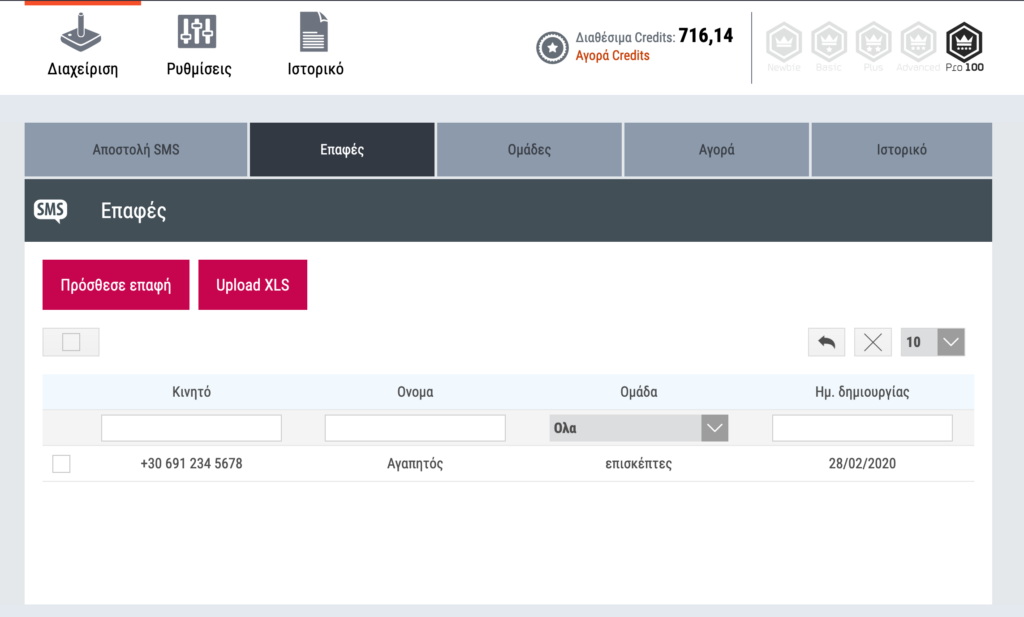
    myeasy offers an entry point for businesses that want to run SMS advertising without complicated tools or extra hardware. You can upload a ready-made XLS file with your contacts and groups, and myeasy will automatically organize and group them for you. In minutes you can be ready to send thousands of messages with a single click — backed by a provider with more than 26 years of experience.

    Upload and organize contacts

    • Upload an XLS file with contacts and groups — no special skills required.
    • Automatic grouping helps you target audiences quickly (e.g., customers, prospects, VIPs).

    Scheduling and automation

    Schedule one‑time broadcasts or set up automated, recurring sends to build a simple, repeatable communication flow. Automation makes it easier to keep customers informed without manual effort.

    Features at a glance

    • Dynamic sender — set the sender name before each send.
    • International coverage — send messages to more than 190 countries and over 400 networks.
    • Detailed history — review the delivery history of your SMS campaigns.
    • Number portability support — recipients receive your message even if they have moved their number to a different network.
    • No special equipment — campaigns are managed from the platform; you only need your contact file and a browser.

    Types of SMS

    • Simple SMS — up to 158 characters (including spaces).
    • Long SMS — composed of two or more consecutive SMS messages for longer content.
    • Unicode SMS — supports all Unicode characters (including Greek); 158 characters per SMS.
    • Personalized SMS — include custom fields (for example recipient name) to make messages feel personal.

    Practical tips for better results

    • Keep messages concise and focused on one clear call to action.
    • Use personalization sparingly to increase relevance (first name, appointment time, order status).
    • Test different send times and message variants to see what converts best.
    • Make unsubscribing easy and honour local regulations — check the legal rules that apply to SMS marketing in your markets.
    • Track performance in the platform’s delivery history and iterate.

    Ready to start your campaign?

    Go to the SMS Campaign section in myeasy to upload your contact list and launch your first broadcast.

    Conclusion

    SMS advertising remains a powerful channel when used responsibly. With myeasy you get a straightforward workflow — upload your XLS, segment automatically, schedule or automate sends, and measure results. For small businesses and marketers who need direct, reliable delivery, SMS campaigns are a practical addition to your marketing mix.

  • Global Landline Telephony in Your Control Panel — Calls from €0.01/min

    Global Landline Telephony in Your Control Panel — Calls from €0.01/min

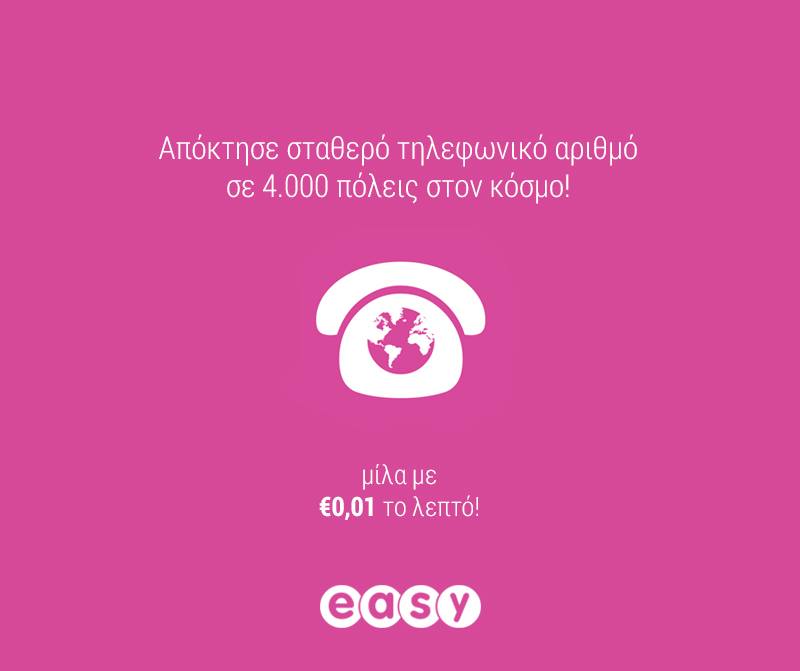
    easy.gr control panel telephony

    Intro: phone infrastructure, simplified

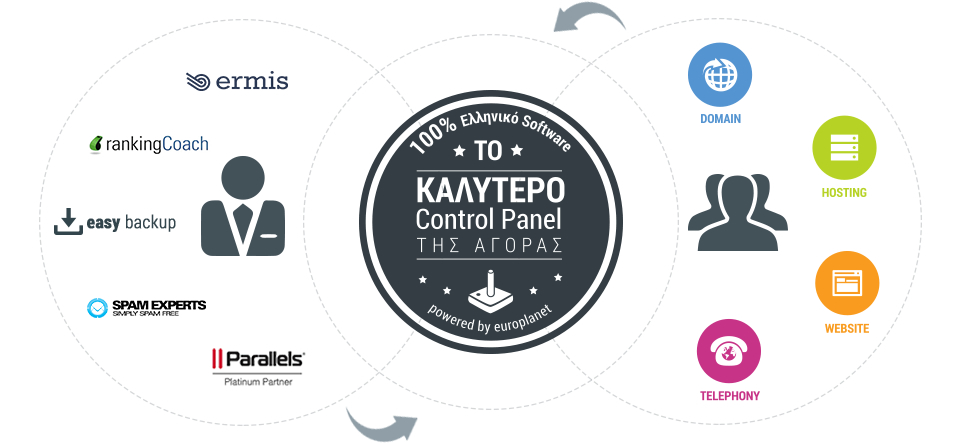
    easy.gr’s control panel has always aimed to bring web infrastructure into one place. Now it adds global fixed-line telephony: a single dashboard where you can buy local numbers in dozens of countries and cities, connect handsets or your PBX, and start calling and receiving calls without roaming fees or long-term contracts.

    What you can do from the control panel

    • Purchase local fixed-line numbers in many countries and cities around the world.
    • Connect any number of telephone devices or integrate your existing PBX into the chosen number.
    • Make outbound calls and accept inbound calls without roaming; no subscription or contract required.
    • Use built-in IVR with ready messages in 10 languages (including Greek) for automatic routing.
    • Scale concurrent call capacity on a per-number basis (see below for details).
    • Check call quality and billing details directly in the same control panel where you manage domains, hosting and other services.

    Pricing and calling

    The service advertises calls from €0.01 per minute. For full pricing and available plans, check the telephony page linked at the end of the article to see country-by-country rates and any additional fees.

    How concurrent calls and additional numbers work

    Each phone number can receive multiple simultaneous calls. The control panel supports scaling that capacity per number: the default example states a single number can receive up to 30 concurrent calls. If you add a second number, the combined capacity increases (the example notes 60 simultaneous calls when two numbers are in use). This makes the system suitable for small contact centers and businesses that need predictable parallel call handling without complex telephony hardware.

    Typical use cases

    • Small businesses that want local numbers in multiple markets without physical presence.
    • Remote teams taking customer calls from anywhere, with no roaming charges.
    • Companies that want a simple PBX integration and IVR flows in multiple languages.
    • Projects that need predictable per-minute billing rather than monthly subscriptions.

    IVR, languages and call routing

    If recording messages or arranging translators takes too much time, the built-in IVR provides pre-recorded messages in 10 languages — including Greek — so incoming calls are routed automatically and consistently. This reduces setup friction and helps ensure callers reach the right person or department without manual intervention.

    Why this matters for businesses

    Consolidating telephony into the same control panel you use for domains, hosting and email reduces administrative overhead and speeds up onboarding. For businesses expanding internationally, local numbers improve local trust and accessibility while low per-minute rates and no roaming or long contracts keep costs predictable.

    Try it and get help

    The best way to understand call quality and features is to try the service. If you need guidance on setup, number selection, PBX integration or IVR configuration, easy.gr’s team is available to assist.

    Ready to add global numbers?

    Visit the Telephony page to browse available local numbers, view all charges and start a trial from the same easy.gr control panel where you manage your other services.

  • Become Our Partner — Integrate Your Internet Service with easy.gr

    Become Our Partner — Integrate Your Internet Service with easy.gr

    Bring your internet service to thousands of users

    Have an idea or an internet service and want it available inside a popular control panel used by thousands of easy.gr customers? Whether you already have your own API or you need technical help to build one, easy.gr invites you to partner with us. Join what the source describes as the largest and fastest-growing unified internet services management system and let your idea reach the audience it deserves.

    Who this is for

    • Developers and companies with API‑driven internet services who want direct distribution to end users.
    • Teams or creators with a service concept that needs integration and exposure through an established control panel.
    • Partners who prefer to focus on their product while relying on easy.gr for distribution and platform integration.

    How integration works

    Integration is straightforward and flexible:

    1. If you have an API: we can connect your existing API to our control panel so users can discover and use your service directly from easy.gr.
    2. If you need help: if you don’t yet have an API, our team can assist in building the interface needed to integrate your service into the panel.
    3. Go live: once integrated, your service becomes discoverable to easy.gr’s user base through the unified management interface.

    Typical steps we follow

    • Initial contact and concept review.
    • Technical assessment: API requirements and integration plan.
    • Implementation: connect the API or build the necessary endpoints with our support.
    • Testing and rollout inside the control panel.

    Why partner with easy.gr

    • Access: integrate directly into a platform used by thousands of customers.
    • Simplicity: users manage services from a single control panel, lowering friction and improving adoption.
    • Support: you can bring a ready API or ask for development help to make integration smoother.
    • Visibility: your service gains placement inside an expanding unified services ecosystem.

    Ready to get started?

    If you want your service inside the easy.gr control panel, reach out and tell us about your idea. Whether you already have an API or need our help to build one, we’ll review the opportunity and guide you through the integration process.

    Conclusion

    Integrating with easy.gr is an opportunity to bring your internet product to a broad audience without building your own user-facing portal. If your idea or service can be delivered via an API — or you’d like our help to create one — consider partnering with easy.gr to give your solution the exposure and management it deserves.

  • Web Market Experts: an online directory of service partners

    Web Market Experts: an online directory of service partners

    Introduction

    Web Market Experts is an online directory that collects service and product providers and organises them into categories. At its simplest, it acts as a curated list where each partner is placed in the category that best reflects what they sell or the services they deliver.

    Quick takeaway

    An organised directory helps customers find suitable vendors faster and gives listed partners a clearer way to reach relevant audiences. Treat it as a discovery tool—not a substitute for your research.

    What the directory does

    At its core, the directory groups collaborators by category so visitors can scan providers by the service or product they need. This structure reduces friction for anyone looking to compare options within a focused area—whether they need a developer, a hosting provider, a branding studio or another specialised service.

    Who benefits from a directory like this?

    For customers and decision-makers

    • Easier discovery of relevant vendors grouped by service or product type.
    • Faster shortlisting because similar providers appear together, which simplifies initial comparisons.
    • A single place to begin research when planning projects, hiring freelancers, or sourcing agencies.

    For partners and listed businesses

    • Visibility to visitors already searching within a specific category—helpful for niche providers.
    • An additional channel to reach potential customers beyond your own website or marketing.
    • A clear way to position services by category, which can attract more aligned enquiries.

    How to make the most of a partner directory

    If you’re using the directory to find a provider

    • Start with the category that best matches your need, then compare at least two or three providers before deciding.
    • Look for evidence of experience: portfolios, case studies, or references mentioned on the provider’s own site.
    • Use the directory as a discovery step—follow up by checking reviews, asking for quotes, and requesting timelines.

    If you want to be listed as a partner

    • Make your category choice clear so potential customers find you where they expect.
    • Keep your public profile or website up to date with service descriptions and examples of work.
    • Present concise contact information and gatekeepers for faster leads: a clear email or contact form reduces friction.

    Practical tips when comparing partners

    • Match expertise to your scope: a provider that shines in one niche may not be the best fit for broader needs.
    • Ask specific questions about timelines, deliverables and post-project support.
    • Consider long-term factors such as ongoing maintenance, upgrades, or additional services you may need later.

    Conclusion

    Directories that organise partners by service or product are useful discovery tools for both buyers and sellers. They shorten the initial search, expose providers to targeted audiences, and help buyers build a short list quickly. Use the directory as a starting point: verify credentials, compare offers, and choose the partner that best matches your objectives and budget.

  • Still Sketching on Paper? Why Old‑School Prototyping Still Matters

    Still Sketching on Paper? Why Old‑School Prototyping Still Matters

    Paper sketch pad and UI stencils for quick app prototyping

    Introduction

    Wireframes, clickable prototypes and design systems dominate modern UX workflows — yet a surprising number of designers and founders still reach for a pen and paper first. The basics matter: sketching on paper is fast, forgiving and keeps the focus on ideas rather than pixels. If you love tactile tools, there are even dedicated stencils, sketch pads and themed t‑shirts that celebrate the craft.

    Why paper still matters

    There are several practical reasons to start on paper:

    • Speed: No boot time, no tool menus — just a pen and an idea.
    • Clarity: Rough sketches force you to prioritise layout and flow, not visual details.
    • Collaboration: Paper sketches invite quick iteration with stakeholders and users in real time.
    • Low cost and low commitment: You can explore many concepts without the overhead of file management or version control.

    Quick tip

    If you like premade helpers, stencil sets and sketch pads let you draw common UI elements faster. Some vendors also sell themed t‑shirts for enthusiasts — for example, design fans will find t‑shirts at uistencils.com.

    How to use stencils and sketch pads effectively

    Stencils and sketch pads are tools, not replacements for thinking. Use them to:

    1. Start with scenarios or user goals, not screens. What does the user need to do?
    2. Sketch multiple variations quickly — label each sketch with the idea behind it.
    3. Annotate user flows: arrows, notes and edge cases show intent beyond visuals.
    4. Take photos of paper sketches and add them to feedback threads or project trackers.

    When to move from paper to pixels

    Paper is great for exploration and alignment, but at some point you’ll want fidelity and interactivity:

    • Move to digital when stakeholders need realistic layouts or when visual design decisions affect feasibility.
    • Use digital tools for usability testing that requires clickable prototypes or analytics.
    • Keep paper artifacts as a design memory — they can guide early-stage marketing, content or pitching materials.

    Practical benefits for small businesses and brands

    For startups and small teams, paper prototyping supports quick branding and content decisions without the cost of polished mockups. Early sketches help teams agree on structure and messaging before spending time on visual assets — saving time and reducing rework.

    Conclusion

    Old‑school sketching is not nostalgia — it’s a pragmatic step in a healthy design process. Whether you prefer blank paper or specialised stencils and sketch pads, the goal is the same: move ideas forward quickly, learn from low‑cost experiments, and only then invest in high‑fidelity designs. If you enjoy the tactile side of design, a well‑chosen stencil or a playful t‑shirt is just a nice bonus.